
PLC retrofits and HMI replacement for machines worth keeping
When the mechanics are sound and the controls are the problem, we replace the PLC, the operator screen and the wiring behind them, and test the new program before your machine is shut down.
- Replaced
- PLC, I/O, HMI, panel wiring
- Kept
- Frame, mechanics and working field devices
- PLCs we program
- Allen-Bradley, Siemens, AutomationDirect Do-more/BRX
- Tested
- In our Fontana shop, before cutover
- Replaced
- PLC, I/O, HMI, panel wiring
- Kept
- Frame, mechanics and working field devices
- PLCs we program
- Allen-Bradley, Siemens, AutomationDirect Do-more/BRX
- Tested
- In our Fontana shop, before cutover
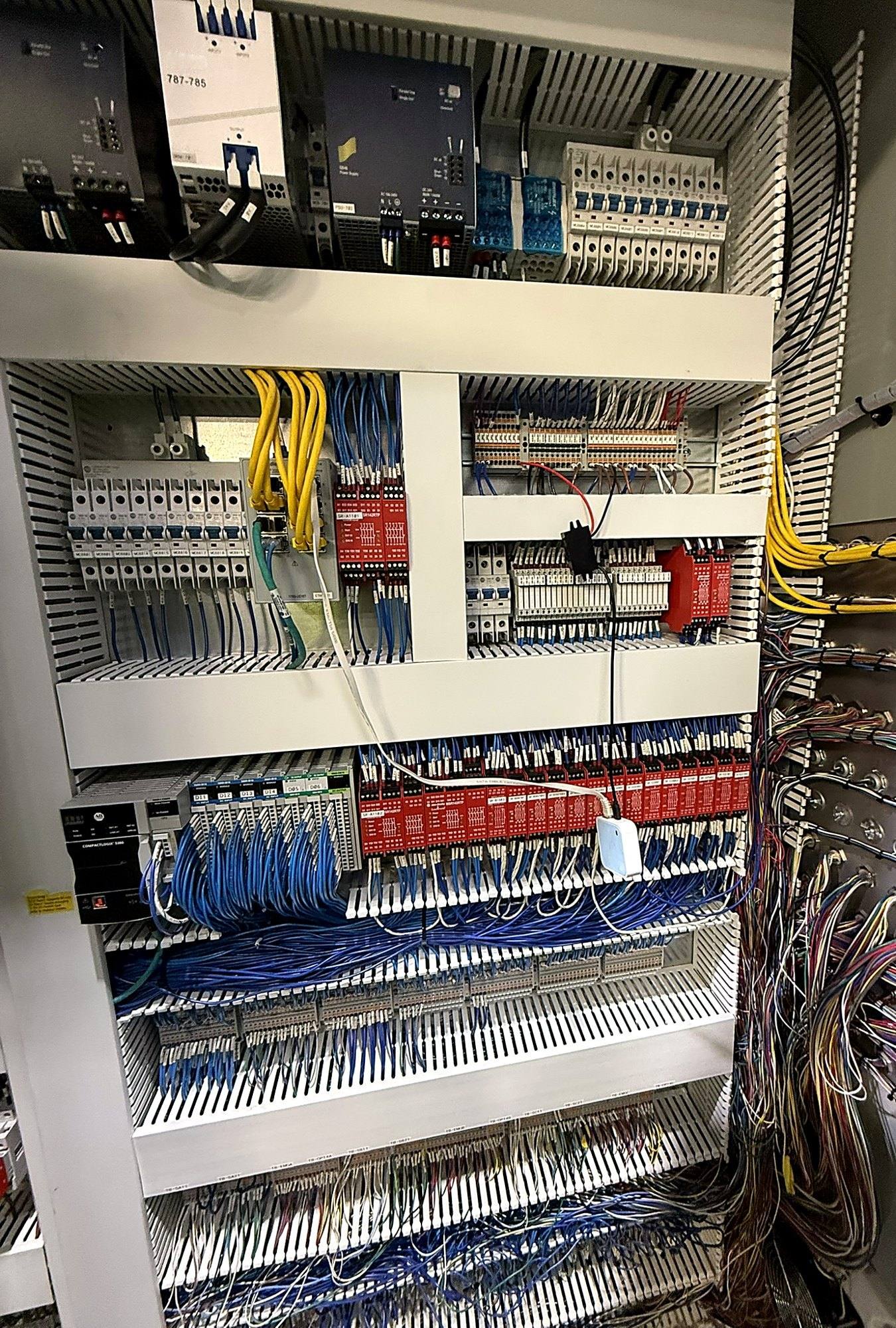
A PLC retrofit keeps the machine and replaces its controls. The frame, the mechanics and the devices that still work stay put. The old PLC, its I/O, the operator screen and the panel wiring come out, and new ones go in. At CalWest Robotics we write the new program and screens and test them in our Fontana, CA shop while your machine is still making parts. It is the same controls work we do on every robot cell we build, applied to a machine somebody else built.
When does a PLC retrofit beat buying a new machine?
Machine retrofitting services cover a lot of ground, from spindle rebuilds to full remanufacturing. The retrofits we take on are controls retrofits, and they are worth pricing when most of these are true:
- The machine still makes good parts, and the process it runs hasn’t changed.
- The frame, slides and actuators are in decent shape, or can be repaired for less than a new machine costs.
- The trouble traces to the controls: a PLC or screen you can’t buy spares for, a program nobody can open, intermittent faults from tired wiring.
- A new machine would mean new floor space, new utilities, or requalifying a process your customers have already approved.
A new machine usually wins when the mechanics are worn out or the process has to change. New controls won’t fix a worn ballscrew. For equipment designed and built from scratch, see custom automation.
What gets replaced in a controls retrofit
| Part | What usually happens |
|---|---|
| PLC and I/O | A current controller and I/O modules you can buy spares for, programmed with software that runs on a current laptop |
| Program | Rewritten or converted, then tested against the new panel |
| Operator screen (HMI) | A new touch screen, laid out around how the crew runs the machine |
| Panel wiring, power supplies, terminals | Rebuilt in a new panel or a cleaned-out enclosure, every wire labeled |
| E-stop and guard circuits | Reviewed against a risk assessment, often moved onto safety relays or a safety PLC |
| Sensors, valves, motors | Kept where they work, replaced where they are failing or won’t talk to the new controls |
The panel is built and wired in our shop like the ones on our control panels page, and the logic comes from the team behind our PLC programming. If the safety circuits change, the robot safety standards guide explains what the standards ask for, and your own safety professional should review the design.
HMI replacement for an obsolete operator panel
Often the operator panel is what fails first: the touch layer quits and the same model is no longer made, or nobody has the software to edit the screens. We design operator screens around the crew that runs the machine, so where operators rely on a familiar layout or the names of steps, we keep them. On most machines, run status, counts and plain-language fault messages belong on the first screen, with setup values a level down where they can’t be changed by accident.
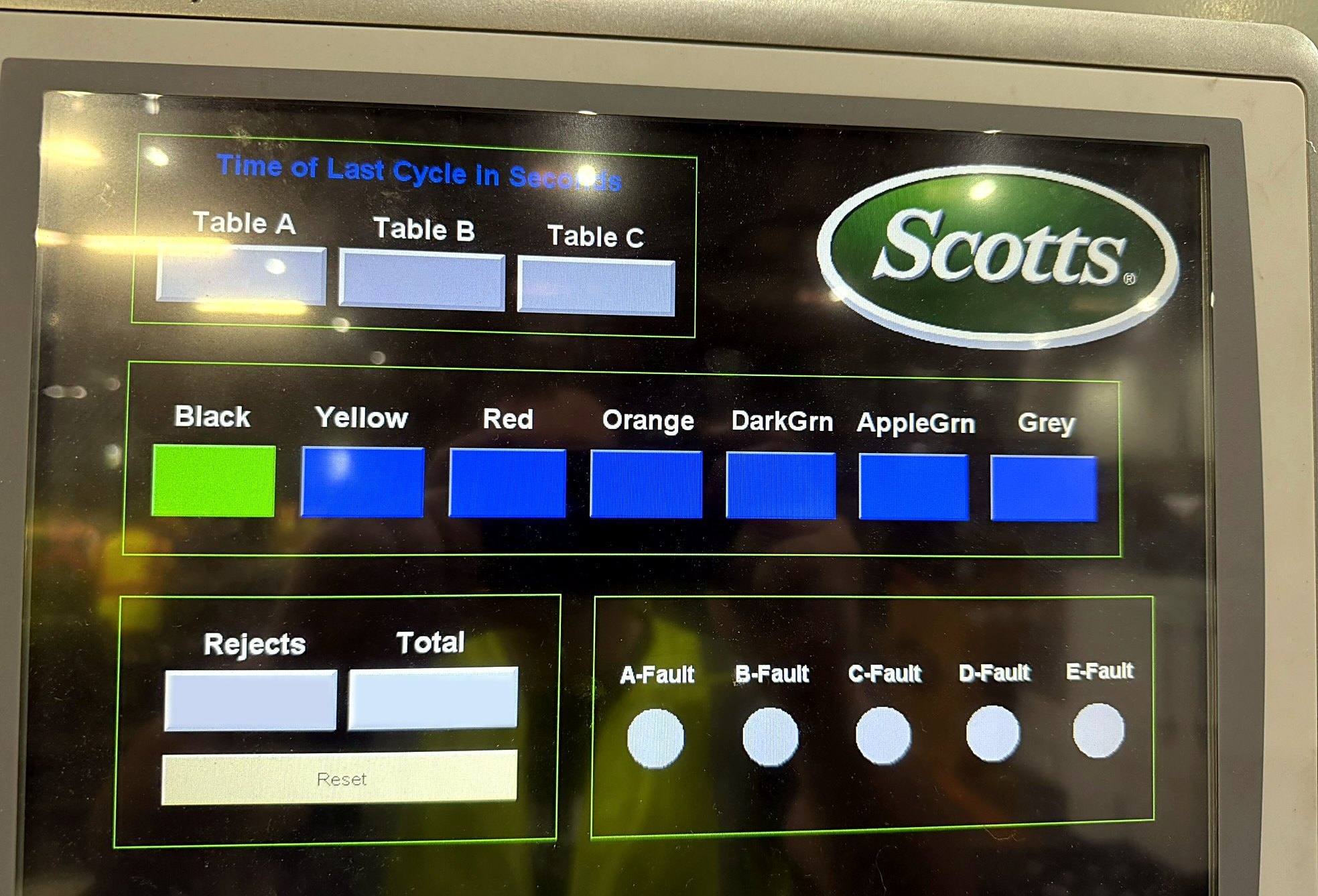
Example: a legacy process machine moved to Do-more/BRX and C-more
On one retrofit we replaced the controls of a legacy process machine with an AutomationDirect BRX PLC running Do-more logic and a C-more touch screen for the operator. The mechanics stayed. The controller, the operator screen and the logic behind them were new.
One practical upside of that platform: AutomationDirect offers Do-more Designer as a free download, and the programming software for its current C-more EA9 panels is free too, so a plant running them can open its programs without buying a license. The platform should still match the plant. If your maintenance team already stocks Allen-Bradley or Siemens, which we program too, the retrofit should go on that.
SLC 500 to CompactLogix migration: what’s involved
Plenty of older machines run on an Allen-Bradley SLC 500. Rockwell’s product lifecycle status site now lists every SLC 500 processor as discontinued, from the SLC 5/01 and 5/02 in January 2017 to the last SLC 5/03, 5/04 and 5/05 models in March 2024, and its SLC 500 hardware migration manual recommends a CompactLogix controller as the replacement. Check your own catalog numbers on Rockwell’s lifecycle status site.
RSLogix 5 and RSLogix 500 include a Logix Designer Export (File > Save As, then Logix Designer Files) that turns a PLC-5 or SLC 500 project into a Studio 5000 project. Rockwell’s conversion manual says it is not the complete solution:
- It converts ladder logic only. Structured text and SFC routines don’t come across.
- Data files become arrays (N7:10 becomes N7[10]). Symbols and address comments come across as descriptions, and the export can also make named alias tags from the symbols. Instruction comments are not converted.
- The I/O tags come out empty, and someone has to map the new I/O modules into them.
- Rungs it can’t translate cleanly get a PCE instruction, and instructions with no Logix equivalent arrive as UNK. Each one is rewritten by hand.
- Logix uses 32-bit math and a 1 ms timer base, so converted timers and math need checking.
On the wiring side, Rockwell’s 1492 conversion systems connect existing wiring on common SLC digital and analog I/O modules to Compact 5000 I/O modules without disturbing the field wiring, one rack at a time. We program CompactLogix, including with Kinetix servo motion. If your machine runs an SLC 500 or PLC-5, send the program file, the catalog numbers and photos of the rack, and we’ll tell you whether it is a job for us.
How we plan the cutover
-
Survey the machine
Photos of the panel and screen, a program backup, whatever drawings exist, and video of a normal cycle and the common faults. Drawings get checked against the wiring, because on older machines they often don't match.
-
Build the I/O list
Every input and output traced to its device and terminal, and the sequence written down from the old program and from the people who run the machine.
-
Build and test in our shop
The new panel is built and wired in Fontana, and the logic and screens are tested against it while your machine keeps producing.
-
Cut over
The machine is locked out under your plant's lockout/tagout procedure, the old controls come out, and the field wiring is landed on the new panel and checked point by point.
-
Prove it and restart
Safety functions tested, the machine run with its operators, then back into production.
New controls can also log every cycle and fault with a time stamp and post counts to your ERP. That is covered on machine data and ERP integration.
What to send us about your machine
A good first message
- Photos of the control panel with the door open, and of the operator screen
- PLC and HMI make and model numbers, read off the labels
- The PLC program and HMI project, if you have them
- Electrical drawings, even old or marked-up ones
- A short video of a normal cycle, and what is going wrong
Call or text (818) 397-4809, or email sales@calwestmfg.com. The rest of our controls work is on robot cell controls and software.
Common questions
- Can an SLC 500 program be converted to CompactLogix automatically?
- Partly. RSLogix 5 and RSLogix 500 have a built-in Logix Designer Export that turns a PLC-5 or SLC 500 project into a Studio 5000 project, but Rockwell's own manual says it is not the complete solution. It converts ladder logic only, leaves the I/O to be mapped by hand, and marks anything it can't translate cleanly with PCE instructions that someone has to fix. Plan on a full review and test either way.
- How long will the machine be down for a PLC retrofit?
- That depends on the size of the machine and how much wiring changes, so the window gets set with you after the survey. The way to keep it short is to do the slow work beforehand. The I/O list, the new panel, the program and the screens are finished and tested in our shop while the machine is still producing, so the shutdown covers removal, wiring, checkout and a supervised restart.
- Do we need the original program and drawings?
- They help a lot, but a retrofit can go ahead without them. If the program is missing or can't be opened, the sequence is rebuilt from the machine itself: tracing each wire to its device, watching normal cycles and common faults, and talking to the operators and maintenance people who know how it should behave. That takes longer, so if the machine still runs, back up the program and the HMI project now.
- Can we keep the existing field wiring?
- Often, if it is in good condition. Sensors, valves and motors that work can usually stay, with their wires re-landed on the new panel. For common SLC 500 digital and analog I/O modules, Rockwell sells 1492 conversion systems that connect the existing field wiring to Compact 5000 I/O modules without disturbing the connections. Brittle insulation, unlabeled splices and damaged conduit are reasons to rewire, and the survey is where they show up.
- Will operators have to relearn the machine?
- Some, because the screen is new, but usually less than they expect. If the crew relies on where a button sits or what a step is called, that can carry over to the new screen. What changes most is fault handling: a plain-language message that says what stopped and where, instead of a code or a lamp. Plan a short walkthrough with each shift at restart.
- Does a controls retrofit change the machine's safety requirements?
- Replacing the E-stop and guard circuits is the right time to look at them again, starting with a risk assessment of the machine as it runs today. ISO 13849-1 defines performance levels (PL a to e) and how to design and verify the safety-related parts of a control system to the level a risk assessment calls for, and NFPA 79 is the US electrical standard for industrial machinery. We do a risk assessment for the safety functions we design, and your own safety professional should review the result.
Sources
- Rockwell Automation: Converting PLC-5 or SLC 500 Logic to Logix-Based Logic, publication 1756-RM085
- Rockwell Automation: SLC 500 Hardware Migration reference manual, publication 1746-RM003
- Rockwell Automation: SLC 500 to CompactLogix 5380 migration
- Rockwell Automation: Product lifecycle status
- AutomationDirect: Do-more Designer software
- AutomationDirect: C-more EA9 programming software (EA9-PGMSW)
- ISO 13849-1:2023, Safety of machinery: safety-related parts of control systems
- NFPA 79, Electrical Standard for Industrial Machinery
- OSHA 29 CFR 1910.147: The control of hazardous energy (lockout/tagout)