
PLC programming services, written and tested in our Fontana shop
We write the PLC and safety logic for every robot cell we build, and we have replaced the controls on older machines that other companies built.
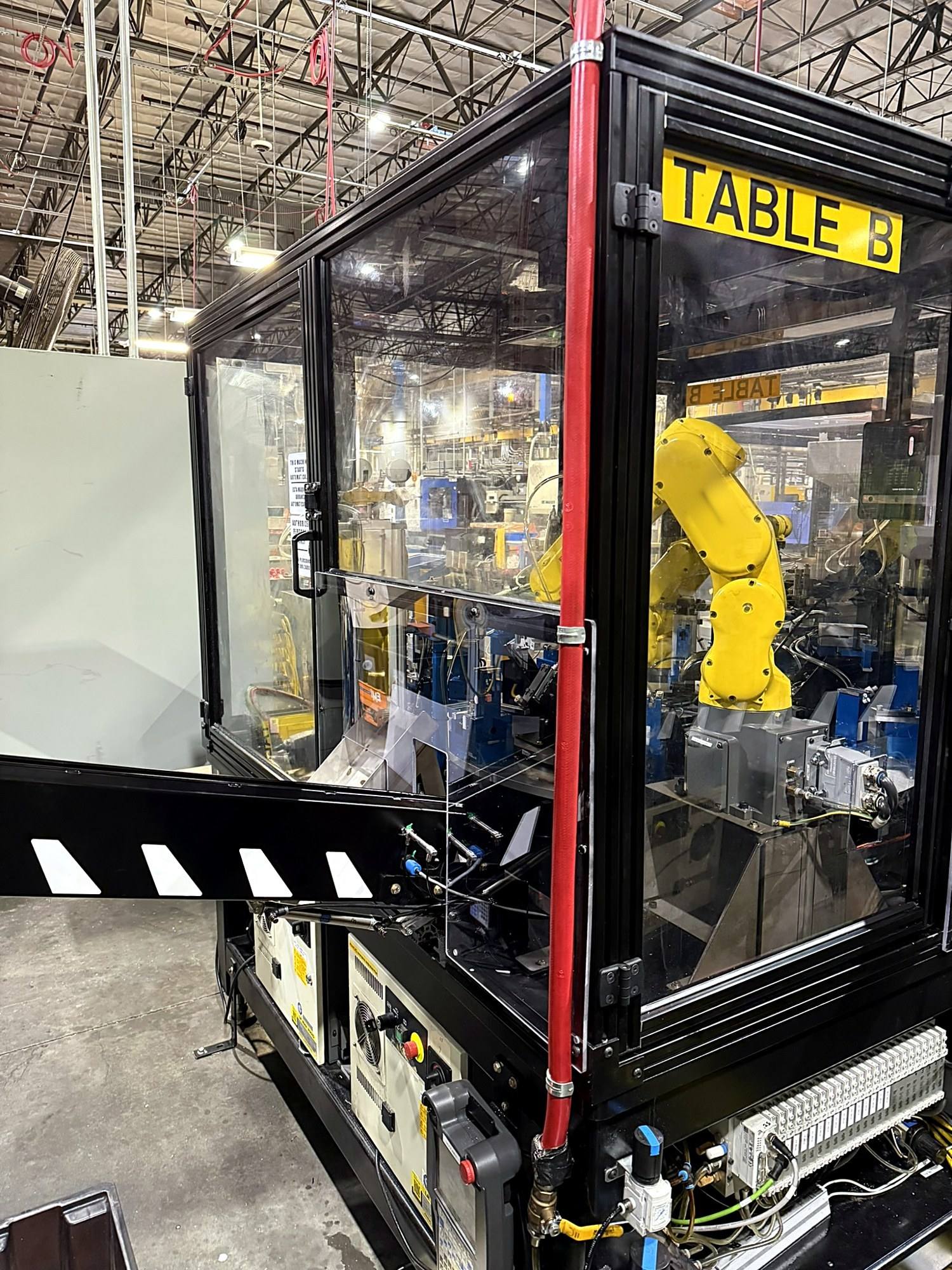
The team that models a cell in SolidWorks and wires its control panel also writes the logic that runs it, so the program comes from people who know every sensor and cylinder on the machine.
In short
What does the PLC do in a robot cell?
The FANUC controller runs the arm, and the PLC runs the equipment around it. The PLC decides when the robot may start and which program it runs, watches the part sensors and cylinders, and stops the cell safely when someone opens a door. The operator screen and any data logging usually read from the PLC too.
| Connected to the PLC | What passes between them |
|---|---|
| FANUC robot controller (R-30iB) | Start, stop and program select going out; part present, cycle complete and fault codes coming back, over an industrial network or hardwired I/O |
| Guard doors, light curtains, E-stops | Safety inputs that stop the robot and every powered axis when a person could reach a hazard |
| Servo axes (Kinetix drives on Allen-Bradley) | Position and move commands out, drive status and faults back |
| Feeders, conveyors, valves, sensors | Discrete I/O that runs the machine sequence |
| Measurement sensors (Keyence and similar) | Readings the logic can act on: accept, reject, adjust or alarm |
| Operator screen (HMI) | Buttons, recipes, counts and plain-language fault text |
| Data logging and the ERP link | Time-stamped cycle and fault records, plus the counts, jobs and scrap that custom Python posts to the ERP |
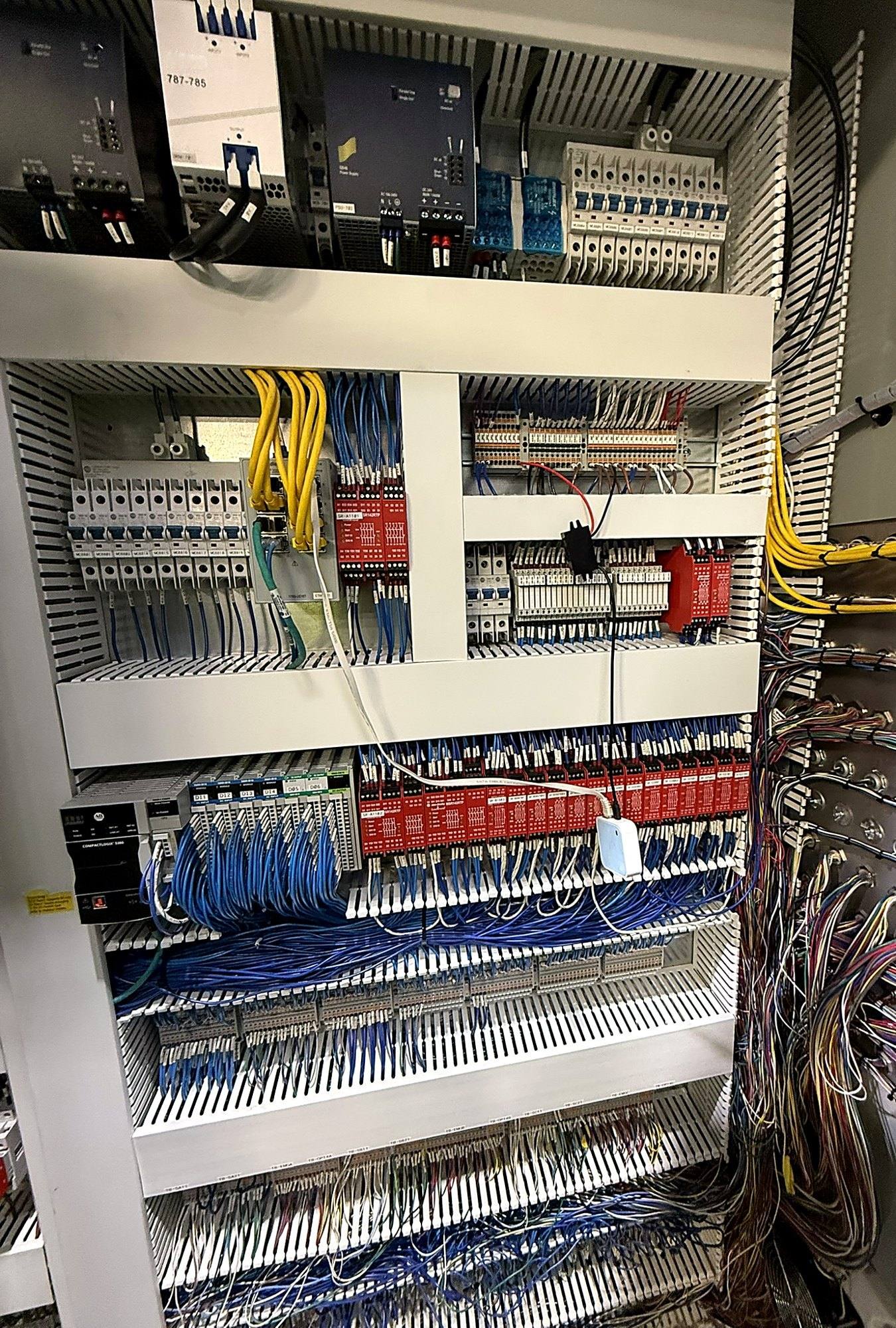
Allen-Bradley PLC programming: CompactLogix and Kinetix servo motion
CompactLogix controllers are programmed in Rockwell’s Studio 5000 Logix Designer. We have written CompactLogix programs that drive Kinetix servo motion as well as the machine sequence. When the PLC runs the servo axes too, the moves, the interlocks and the fault handling sit in one program, which matters to maintenance: there is one project to open when something stops.
The panels these programs run in are built here too; our control panels page covers how we build and test them. For the detail on Studio 5000 projects, Add-On Instructions and EtherNet/IP to the robot, see Allen-Bradley PLC programming, and for servo axes, servo motion control.
Siemens PLC programming services
If a plant has standardized on Siemens, the cell should ship on Siemens, so the maintenance crew can support it with the software and spare parts they already have. We write Siemens PLC and safety logic as well. Current Siemens S7-1200 and S7-1500 controllers are configured and programmed in STEP 7 (TIA Portal), and a fail-safe CPU carries the safety program alongside the standard program in the same project.
Tell us your plant standard in the first conversation. It changes the panel layout, the I/O hardware and the parts list, not only the code. More on TIA Portal projects and PROFINET is on Siemens PLC programming.
AutomationDirect Do-more/BRX programming
Not every job starts with a new cell. On one retrofit we replaced the controls of a legacy process machine with an AutomationDirect BRX PLC running Do-more logic and a C-more touchscreen for the operator.
A practical point for the owner: AutomationDirect’s Do-more Designer programming software is a free download, so the plant can open and read the program without buying a license. If your machine is in the same spot, see PLC and HMI retrofits.
Keyence measurement integration
We have also integrated Keyence measurement sensors. A measurement is only useful when the program acts on it: rejecting a part, stopping the cell, or recording the value against the part it came from. That means the sensor setup and the logic need to be planned together, before the panel is wired.
Safety PLC programming: what the logic has to do
Safety logic decides what the cell does when a person could reach a hazard. When a guard door opens or a light curtain is broken, the logic usually either removes power from the robot and every powered axis at once, or brings them to a controlled stop and then removes power. NFPA 79 calls those stop category 0 and stop category 1, and an emergency stop has to be one of the two.
Some cells also use a category 2 stop for a guard door or light curtain, where the axes hold still with power on and the standstill is monitored. Which category each safety function gets comes out of the risk assessment for the machine.
ISO 13849-1:2023 rates safety-related control parts by performance level, from PL a to PL e, and the risk assessment sets the level each function needs. For robot cells in the US, ANSI/A3 R15.06-2025 adopts ISO 10218-1 and ISO 10218-2 (2025 editions) as the safety requirements for the robot (Part 1) and for robot applications and robot cells (Part 2). OSHA has no standard written specifically for robots, and its robotics page lists R15.06 and ISO 10218 among the relevant consensus standards.
Simpler cells can run their safety functions through safety relays. Cells with several zones often move to a safety PLC, such as Allen-Bradley GuardLogix or a Siemens fail-safe CPU. Both can reach the higher performance levels, so the choice mostly comes down to how many safety functions and zones the cell has. Safety PLC programming goes through the circuits and validation in more depth.
The spray nozzle assembly cells in Fig. 1 are one example. Each of the three tables is interlocked and light-curtained, and we built, wired and programmed the control panels. The physical side of this work (fencing, interlocked doors, light curtains) is covered on robot cell guarding. None of this replaces your own safety professional’s review of the risk assessment and the safety functions.
Example: PLC control of every mechanical function on an aerospace tapping machine
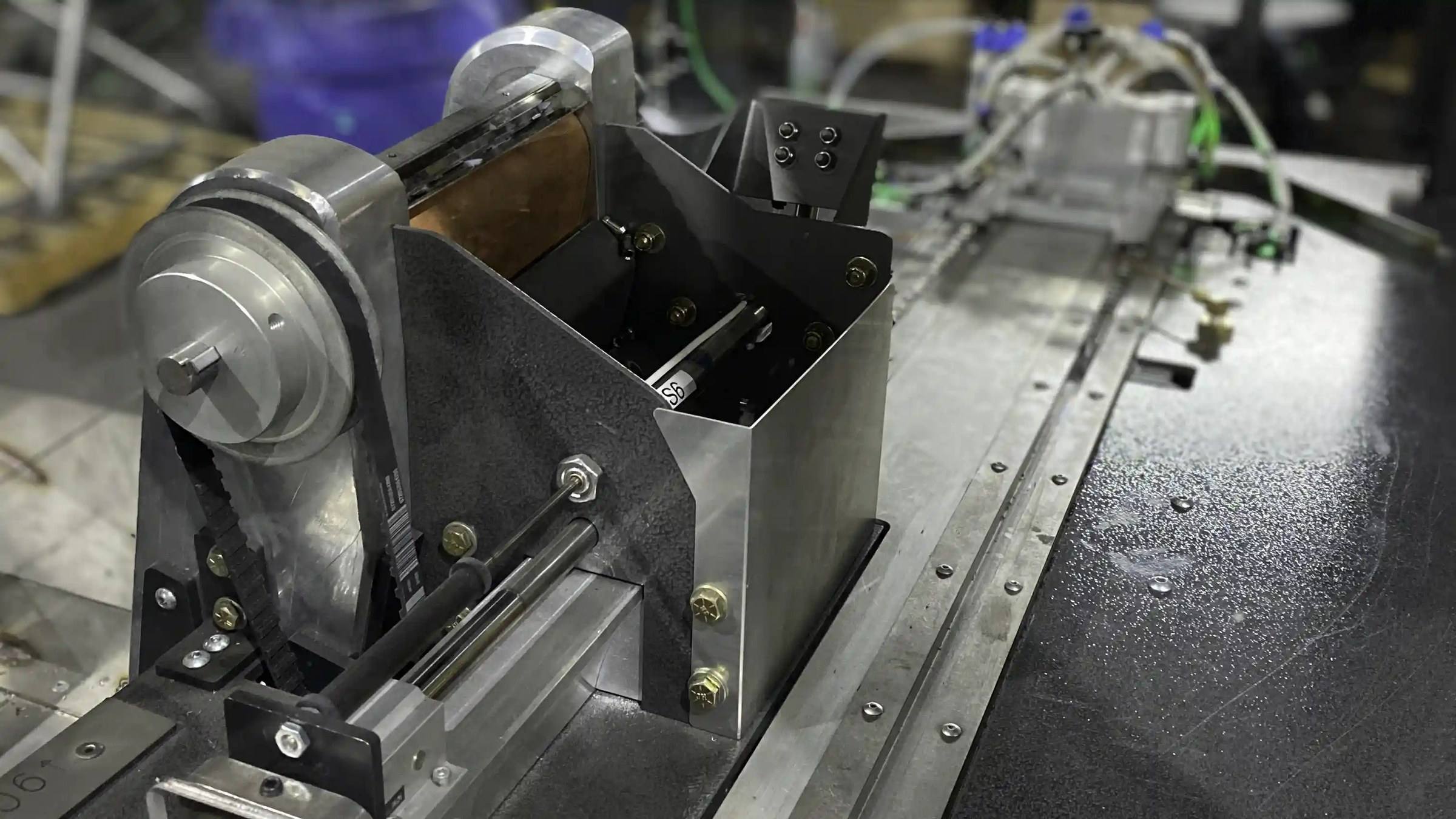
Some of our PLC work has no robot in it. For an aerospace supplier we built an automated tapping machine for high-volume production of an aircraft part. A custom feeder presents the parts to a custom tapping mechanism, the PLC controls every mechanical function, and an HMI gives the operator real-time monitoring of the machine.
Tested on our floor before it ships
The panel and the cell are built in the same building where the program is written, so we test the logic against the actual sensors and robot before the cell leaves Fontana. Each cell we build is run off in our shop and then commissioned on yours.
Whoever builds your cell, a few tests during the run-off tell you a lot about the PLC program behind it.
Worth trying at any run-off
- Open a guard door mid-cycle, check what stopped, and confirm that closing the door alone does not restart the cell
- Press an E-stop in the middle of a robot move and walk through the recovery
- Pull a part or block a sensor so the cell faults, then read the fault text on the screen
- Cycle power to the panel and confirm the cell comes back to a known state and does not start moving on its own
- Run a changeover if the cell handles more than one part
Programs that connect to the rest of the plant
The PLC is usually where the operator screen and the production data come from. We design custom HMI screens around the crew that will use them. The robot side of the code is covered on FANUC robot programming. Logging every cycle and fault and posting counts, jobs and scrap to your ERP is covered on machine data and ERP integration. Which ERP you run changes how that link is built.
Common questions
- Which PLC brands do you program?
- Allen-Bradley and Siemens, for both cell logic and safety logic, including Allen-Bradley CompactLogix with Kinetix servo motion. We have also moved a legacy machine onto an AutomationDirect BRX PLC running Do-more with a C-more touchscreen, and integrated Keyence measurement sensors. If your plant has a standard platform, tell us at the start so the cell matches the software and spare parts your maintenance team already has.
- Do you program machines you did not build?
- Yes. We have replaced the PLC and HMI on legacy machines built by others, writing new logic and new operator screens around the existing mechanics. To start, send photos of the panel and the operator screen, the current PLC and HMI model numbers, and a copy of the program if you have one. That is usually enough to talk through whether a controls retrofit makes sense for the machine.
- Do we get the PLC source code?
- Settle that before the order is placed, whoever you hire. Ask any integrator, us included, to list in the quote exactly which files you receive at handover: the PLC project, the HMI project, robot program backups and electrical drawings. Also ask whether any routines will be locked. Allen-Bradley and Siemens both let a programmer password-protect parts of a program, so ask by name for a copy with no protected routines.
Sources
- ISO 13849-1:2023, Safety of machinery: safety-related parts of control systems
- A3: ANSI/A3 R15.06-2025 industrial robot safety standard now available
- NFPA 79, Electrical Standard for Industrial Machinery
- ISO 10218-1:2025, Robotics: safety requirements, Part 1: Industrial robots
- ISO 10218-2:2025, Robotics: safety requirements, Part 2: Industrial robot applications and robot cells
- OSHA: Robotics standards
- Rockwell Automation: CompactLogix 5380 controllers
- Rockwell Automation: Safety programmable controllers
- Siemens: STEP 7 in TIA Portal
- AutomationDirect: Do-more Designer software