
FANUC robot service and reprogramming for robots you already own
We work on FANUC robots other companies installed, not only the cells we build. Call or text (818) 397-4809 with the robot model and what it needs to do, and we'll scope the job after seeing the cell.
- Robots
- FANUC, including cells we didn't build
- Vision
- iRVision
- PLCs
- Allen-Bradley, Siemens, AutomationDirect
- Shop
- Fontana, CA
- First step
- Call or text (818) 397-4809
- Robots
- FANUC, including cells we didn't build
- Vision
- iRVision
- PLCs
- Allen-Bradley, Siemens, AutomationDirect
- Shop
- Fontana, CA
- First step
- Call or text (818) 397-4809
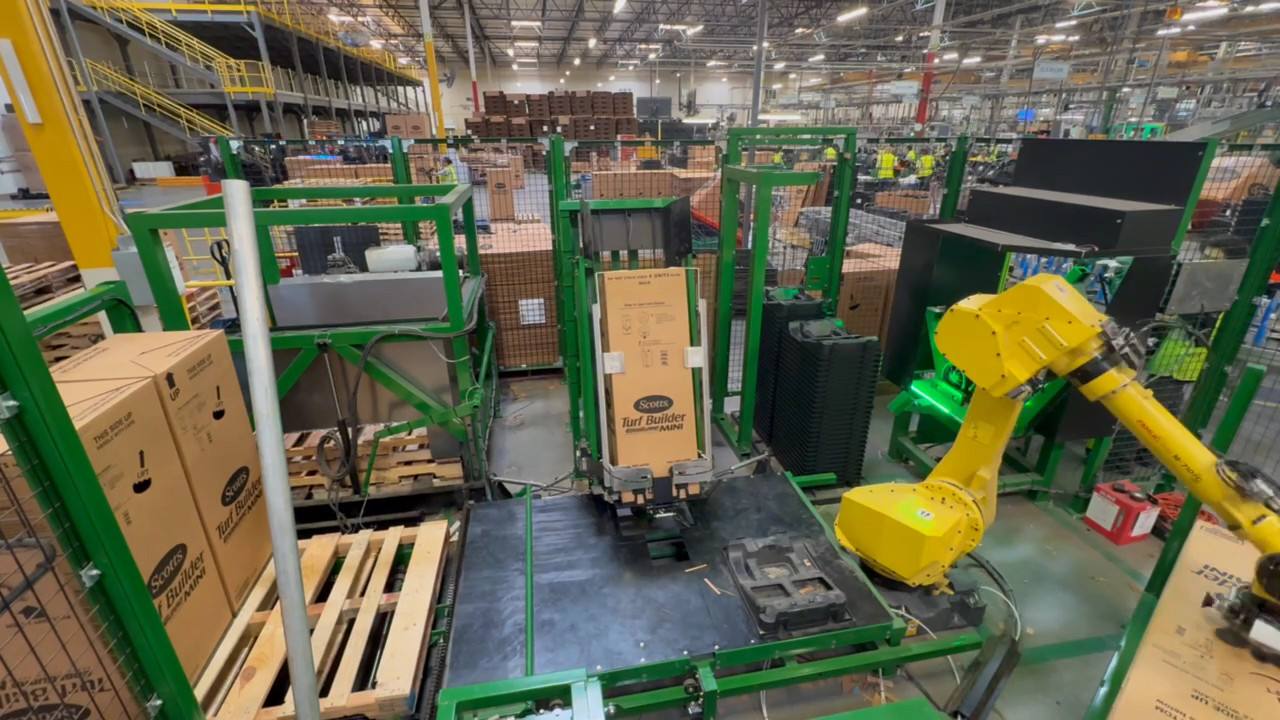
Our FANUC robot service is work on robots already running in a plant: their programs, vision, tooling and controls, and the cell around them. The same team designs, fabricates, wires and programs complete FANUC cells in our Fontana, CA shop, so programming the robot, making the tooling and building the panel are all work we already do in-house.
In short
What FANUC robot service covers
These are the kinds of work we can look at on an existing cell. None of them has a fixed price or schedule, because two cells that look alike on paper rarely are once the panel door is open. Routine upkeep, such as grease and batteries, follows FANUC’s intervals for each model; our FANUC robot maintenance schedule guide covers it.
| Reprogramming | New parts, new stack patterns, changed paths, speeds and I/O |
|---|---|
| Vision | Adding or re-setting iRVision so the robot finds the part |
| Tooling | New or modified grippers and fingers, machined in-house |
| Moving a cell | Relocating a robot, re-teaching frames and points, rebuilding guarding |
| Controls | PLC and safety logic, operator screens, panel changes |
| Troubleshooting | Faults in the program, I/O, sensors, tooling and cell wiring |
Reprogramming a FANUC robot for a new part
Most FANUC robot reprogramming jobs start with a product change. A new case size means a new stack pattern. A new part means new pick and place points, maybe a new tool frame, and I/O the robot never used before. Sometimes the robot is fine and the program is the problem: years of touch-ups by different people, positions nobody can explain, and no copy of the version that last ran well.
We start by backing up the controller as it stands, so the programs and settings that were running can always be loaded back. Then we read through the existing programs before changing them. Where the job calls for it, we restructure the program rather than patch it, so the next person to open it can follow it. More on how we write robot code is on the FANUC robot programming page.
Can you add vision to an existing FANUC robot?
Often, yes. iRVision runs on the FANUC robot controller itself, with no separate vision PC. On a robot that picks from a fixed spot, adding it means adding the iRVision software option from FANUC if the controller doesn’t already have it, mounting and wiring a camera, setting up the vision process, calibrating the camera to the robot, and changing the program so the robot offsets its pick to where the part actually sits.
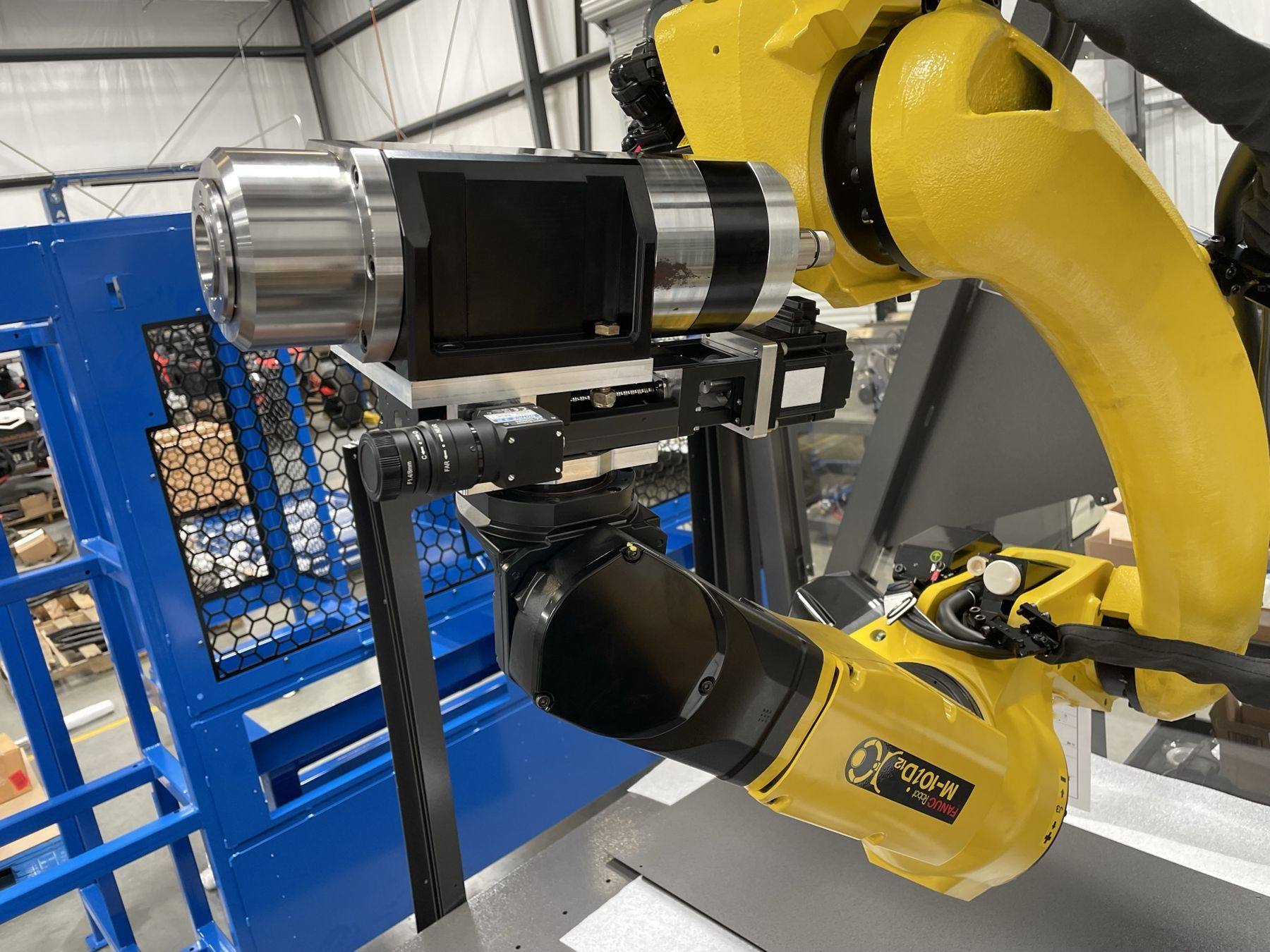
Whether it makes sense depends on the controller, the lighting at the cell and what the camera has to see. We look at those first, and the answer is sometimes a better fixture instead of a camera. How we set cameras up is on the vision-guided robotics page, and the calibration steps are in our iRVision calibration guide.
Moving a FANUC robot or rebuilding the cell around it
Taught points are stored relative to the robot and its frames, not the building. Unless the conveyors and fixtures land in exactly the same place relative to the arm, frames get re-taught and points get touched up in the new spot. Our guide to relocating a FANUC robot goes through a move in order.
While the controller is off, backup batteries hold each axis pulsecoder’s position count. If they go flat, or the battery circuit to the pulsecoders is broken while the power is off, the controller shows a SRVO-062 BZAL alarm and the robot has to be remastered before anything else.
Guarding usually changes with the layout. We laser-cut, bend and weld guarding and bases at CalWest Manufacturing, our parent company, in Fontana, so a rebuilt cell can have new guarding made for it rather than panels cut down to fit. On robots with FANUC Dual Check Safety (DCS), any position or speed limits set in the controller have to be checked against the new layout too, and if the robot is remastered, the DCS parameters have to be re-applied and verified.
A moved or rebuilt cell also needs a fresh risk assessment. ISO 10218-2:2025 sets safety requirements for industrial robot applications and robot cells, including how risk is assessed, and the US adopts it as Part 2 of ANSI/A3 R15.06-2025. Part 3, ANSI/A3 R15.06-3-2025, sets requirements for the plants that use robot cells, including changes to existing ones.
Our robot safety standards guide explains both. We do a risk assessment for the safety functions we design, and your own safety professional should review the result.
If the rebuild turns into a new cell, we can design and build that cell in Fontana and run it off here first.
Troubleshooting a FANUC robot cell that has stopped running
A robot that has stopped is often waiting on something else in the cell. Worn gripper fingers, a sensor out of position, a vacuum leak, a PLC handshake that times out or a wire in the panel can all stop a robot that is mechanically fine. We work through the cell as a system: robot alarms and program, I/O, sensors, tooling, PLC logic and panel wiring. Our guide to FANUC alarm codes explains the common ones, and a SRVO-050 collision alarm that trips when nothing was hit often points to a wrong payload setting.
New tooling is covered on the end-of-arm tooling page. If the real problem is an old PLC or operator screen nobody can edit, a controls retrofit may be the better fix than more troubleshooting.
What we don’t do
Some limits, so you can rule us in or out before anyone visits:
- We work on FANUC robots only, no other robot brand.
- Replacing a reducer, motor or cable inside the arm is not part of the service work described here. If troubleshooting points there, we’ll say so plainly.
- We don’t quote response times or fixed prices for service. We scope the job after seeing the robot, the controller and the cell.
How a service job starts
Call or text (818) 397-4809, or email sales@calwestmfg.com. The more of the list below you can send, the quicker we can tell you whether it’s work we should take on. The rest of our process, from first call to commissioning, is on how we work, and every way to reach us is on the contact page.
Useful to send about the robot
- The robot model and the controller model, from the labels on each
- The alarm codes on the teach pendant, or a photo of the alarm screen
- A short video of the cell running, or of what it does when it faults
- What needs to change: a new part, a new pattern, a move, added vision
- A recent controller backup, if you have one, and any drawings of the cell
Common questions
- Do you service FANUC robots you didn't install?
- Yes. We reprogram and service FANUC robots that other companies installed, as well as the cells we build ourselves. Send the robot model, the controller, a short video of what the robot does now and a description of what needs to change. We look at the cell before we quote, because an older installation often has undocumented wiring or programs that have been edited over the years.
- What is your response time?
- We don't publish one, because it depends on the job and what is already on our floor that week. The fastest way to an honest answer is to call or text (818) 397-4809 with the robot model, the alarm code or symptom, and whether the line is down. We'll tell you directly when we can look at it.
- Do you repair FANUC robot arms, such as reducers and motors?
- Our service work is on programs, vision, tooling, controls and the cell around the robot. Mechanical work inside the arm, such as replacing a reducer, motor or pulsecoder, is not part of the service work we describe here. If troubleshooting points to a failed part inside the arm, we'll say so plainly, and FANUC's own service group or a shop that rebuilds arms is the usual place for that part of the job.
- Should we back up the robot before anyone works on it?
- Yes, and before any service visit from anyone. A FANUC file backup (the 'All of above' option on the teach pendant) holds the programs, frames, I/O settings and mastering data, and an image backup also holds the controller's system software. If a program edit goes wrong, the controller's memory battery runs flat or a board is replaced, the backup puts the programs and settings back without re-teaching. Keep a copy off the controller, labeled with the robot's serial number and date.
- Can a FANUC robot keep its programs after it is moved?
- The programs stay on the controller, and taught points are stored relative to the robot, so they only line up if the conveyors and fixtures end up in the same place relative to the arm. Points taught in user frames can often be shifted by re-teaching the frames, while points in world coordinates or joint angles usually need touching up one by one. The pulsecoder backup batteries also have to stay charged and connected the whole time the robot is unpowered, or it will need remastering.
Sources
- FANUC America: iRVision robotic vision systems
- FANUC America: Dual Check Safety (DCS) Position and Speed Check
- ISO 10218-2:2025, Robotics: safety requirements, Part 2: Industrial robot applications and robot cells
- A3: New ANSI/A3 R15.06-2025 American National Standard for industrial robot safety now available
- A3: Industrial robot safety standard gets major update