
Industrial robot programming services for the FANUC cells we build
We write the robot programs for the FANUC cells we design and build in Fontana, California, and we run them in our own shop before anything ships.
- Robots
- FANUC only
- Vision
- iRVision
- Conveyor tracking
- iRPickTool
- PLCs
- Allen-Bradley, Siemens
- Run-off
- Our shop, Fontana, CA
- Robots
- FANUC only
- Vision
- iRVision
- Conveyor tracking
- iRPickTool
- PLCs
- Allen-Bradley, Siemens
- Run-off
- Our shop, Fontana, CA
The team that writes the robot program also modeled the cell in SolidWorks, cut and welded the frame and wired the panel, all in our shop in Fontana. When paths, vision and PLC signals get tuned against real parts, nobody waits on another company to move a sensor or re-cut a gripper finger. For a robot already on your floor, including one we didn’t install, see FANUC robot service and reprogramming.
In short
What FANUC robot programming covers in our cells
What we write for a cell, and the FANUC equipment our projects have used:
| Robot motion | Pick, place and approach paths; tool and user frames; speeds and move blending |
|---|---|
| Palletizing | Case pick, turn and place; stack patterns built layer by layer |
| Vision | iRVision processes that locate the part for the robot |
| Conveyor tracking | iRPickTool line tracking, including picks split between robots on the same belt |
| Cell logic | Allen-Bradley and Siemens PLC and safety logic |
| Operator screens | Custom HMIs written for the crew that runs the cell |
| FANUC robots | LR Mate, M-10iD/12, M-20iD/25, delta robots, washdown-rated arms |
| Controllers | R-30iB |
Palletizing paths and stack patterns
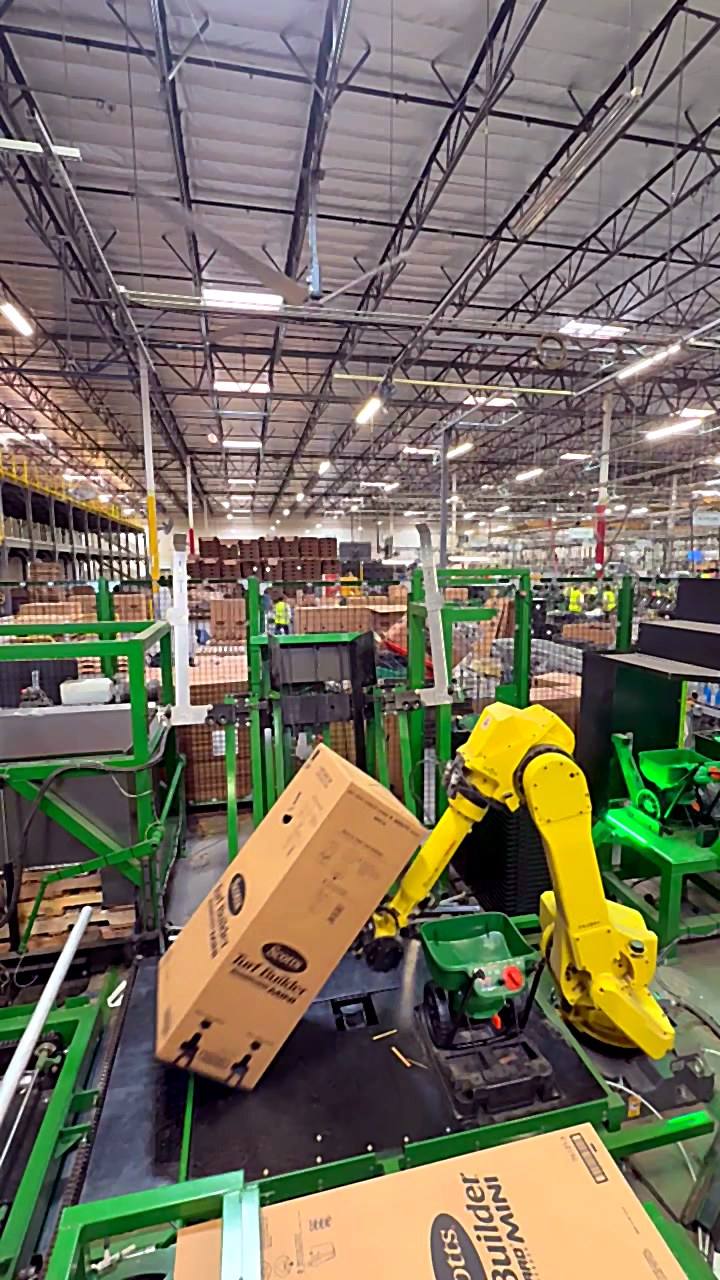
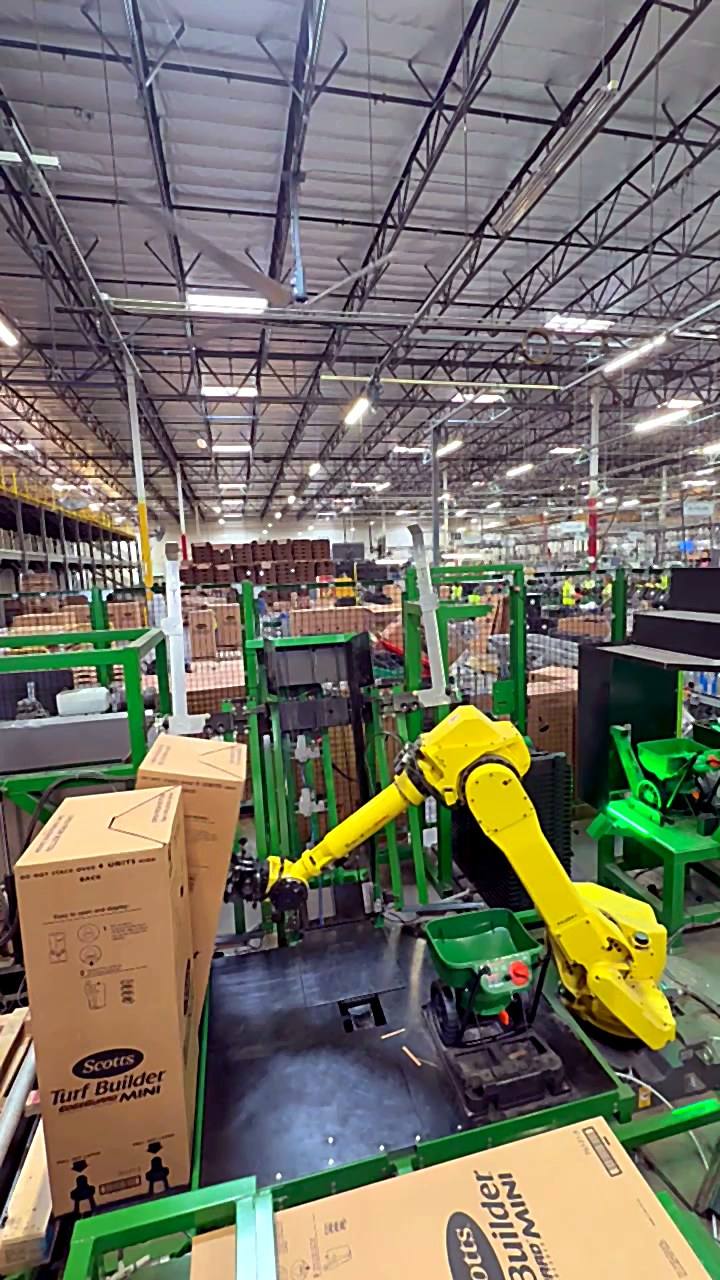
At a Temecula, CA plant for a national lawn and garden brand, FANUC robots in cells we built and programmed stack pallets at the end of each packaging line.
Most of a palletizing program is geometry. The robot needs a pick point at the end of the conveyor, an orientation for each case in the pattern, and a place position for every case in every layer. Each layer sits one case higher than the last, so approach and retreat moves have to clear the cases already stacked. When the pattern is built with position registers, the offsets can be applied in a user frame taught on the pallet station, so if the station shifts, re-teaching the frame moves every case position with it.
The cells themselves are covered on the robotic palletizing page, and the program structure, pattern by pattern, is walked through in our FANUC palletizing programming guide.
Vision pick programming and conveyor tracking
iRVision is FANUC’s vision system, set up and run on the robot controller rather than a separate PC. iRPickTool is FANUC’s software for line tracking: picking parts off moving conveyors and, where several robots share a belt, balancing the picks between them. Both are part of our vision-guided robotics work.
On a twin-delta tray loading line we built and programmed, two FANUC delta robots share one belt, and both controllers hold the full line map, so each robot knows which parts the other will take.
Conveyor tracking programming is mostly setup and tuning, done in order because each step is measured against the one before:
- Teaching the tracking frame on the conveyor, which also sets the encoder scale: the number of encoder counts per millimeter of belt travel, so the controller can turn encoder counts into belt position.
- Calibrating the camera to the tracking frame, so a spot in the image becomes a position on the belt.
- Teaching the pick and place positions.
- Setting each robot’s pick window on the belt and how picks split between the upstream and downstream robot.
- Tuning speeds and pick timing with real parts at real belt speed.
We go through each of these on a working line in the iRPickTool and line tracking guide.
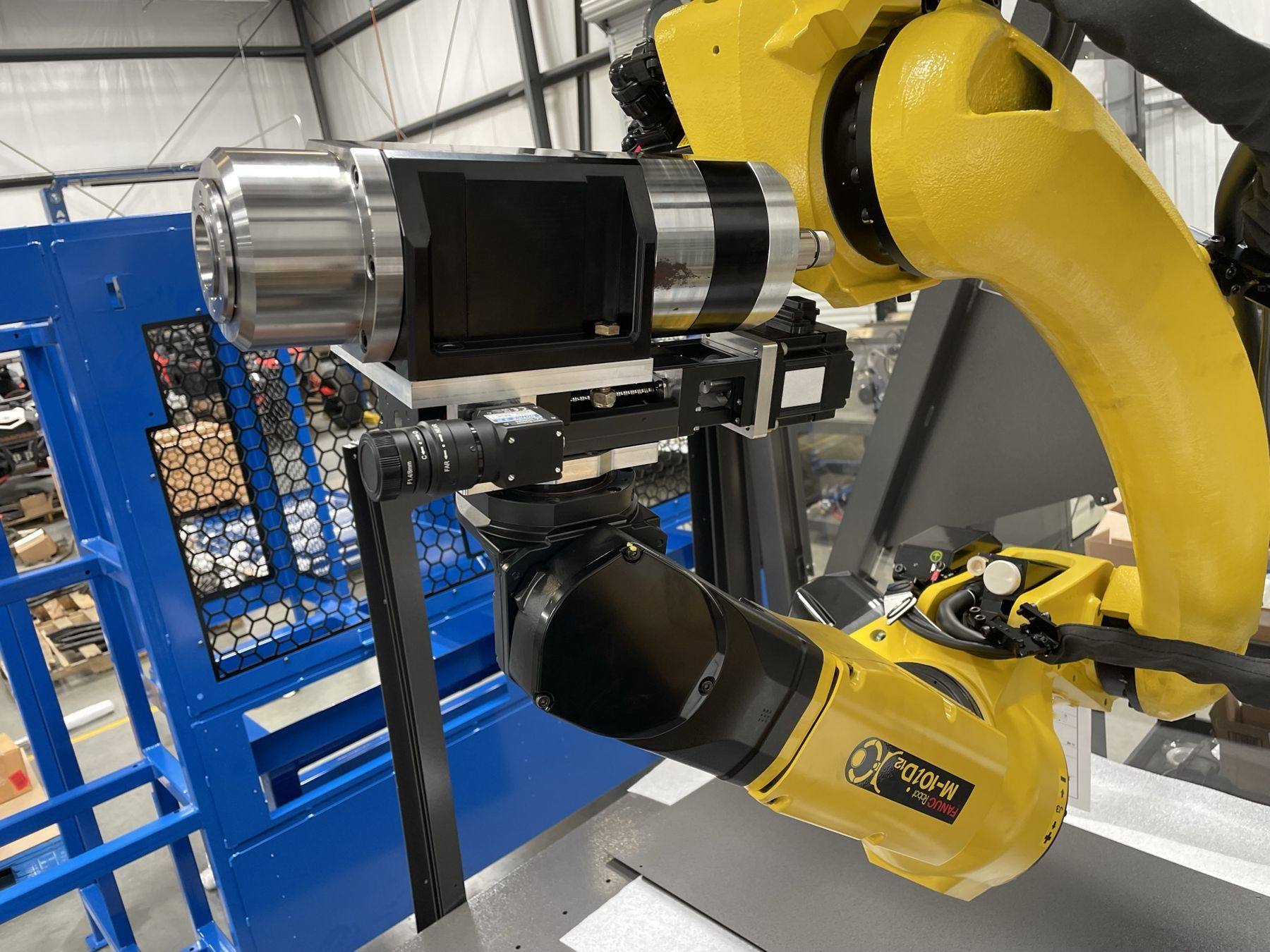
The camera on the arm in Fig. 1 is the other common setup. The robot carries the camera to the part, takes a picture and corrects its move to where the part actually sits.
Robot, PLC and HMI from one team
The robot program is only part of a cell’s logic. The PLC decides when the robot may start, usually through the controller’s UOP signals, and watches the conveyors and stations around it. The guarding and light curtains run on the safety-rated side of the controls, a safety PLC or safety relays, tied into the robot controller’s own safety inputs. On robots with FANUC Dual Check Safety, position and speed limits set in the controller sit on that safety side too. The HMI is where the crew sees what the cell is doing. Robot and PLC trade signals over hard-wired I/O or a network such as EtherNet/IP on Allen-Bradley or PROFINET on Siemens, and each signal has to mean the same thing on both ends.
Because we write the robot program, the PLC and safety logic and the operator screens, that signal list is set once by people who can walk over to the cell and test it. It worked that way on our three-table spray nozzle assembly cells, where we also built the control panels and wrote the operator screen. The rest of our controls work is on the controls and software page.
Run-off and commissioning
Robot paths are laid out and checked in FANUC ROBOGUIDE before they run, then new motion is stepped through slowly in T1 on the real robot. Offline robot programming covers the simulation side, and our guide to jogging a FANUC robot from the teach pendant explains T1 and the other modes.
-
Model
The full cell is modeled and proven in SolidWorks before anything is cut, so the positions of the robot, conveyors and fixtures are worked out on screen first.
-
Run-off in Fontana
The cell runs in our shop with its real gripper, guarding, panel and HMI. Paths, speeds and vision are tuned here, ideally with your production parts, where a bracket or a finger can be changed on site.
-
Commissioning on your floor
The cell is installed and commissioned on your line. Expect points to be touched up to your conveyors and floor, and vision to be re-checked under your plant's lighting.
Sending us a job
Most of a robot program is set by how parts reach the robot and where they have to end up, so those are the details that help most with a new cell:
Useful to include with a new cell
- A video of the process as it runs today
- Part drawings, or a few sample parts
- How parts arrive (loose on a belt, in a fixture or in cases) and how fast, if you know
- The pallet patterns or tray layouts you run now
Common questions
- Do you program the robots in the cells you build?
- Yes. The same team that designs, fabricates and wires each cell writes its FANUC robot program, its PLC and safety logic, and the operator screen. The code is tuned on our floor in Fontana during run-off and touched up on yours at commissioning, so you deal with one team for the whole cell instead of a builder plus a contract programmer.
- Can you reprogram a FANUC robot we already own?
- Yes. Along with the cells we build, we service and reprogram FANUC robots that other companies installed. Send the robot model, the controller, a short video of what the robot does now and what needs to change. Our FANUC robot service page covers that work.
- What should we ask for at handover?
- Put the list in your RFQ so it is agreed and priced up front. A sensible list is the robot programs, a full backup of each FANUC controller, the vision setups, the PLC and HMI source files, the electrical drawings and the I/O list. A full controller backup lets you restore a robot after a hardware failure without rebuilding its programs from scratch.
- What is the difference between iRVision and iRPickTool?
- iRVision is FANUC's vision system. It runs on the robot controller and finds where a part is so the robot can correct its move. iRPickTool is FANUC's line tracking software for picking parts off moving conveyors and, where several robots share a belt, splitting the picks between them. On a vision pick line the two work together: the camera is set up relative to the conveyor, iRVision finds the part, and iRPickTool keeps track of it as the belt carries it to a robot.
- Which FANUC robots have you worked with?
- Our projects have used LR Mate robots on assembly cells, an M-10iD/12 on a drilling and milling cell, FANUC delta robots on a vision-guided tray loading line and for bakery dough handling, and washdown-rated FANUC arms for food and bakery floors. We have also used the M-20iD/25, and controllers include the R-30iB. FANUC is the only robot brand we integrate.