
FANUC SRVO-007 external emergency stop and the other e-stop alarms
Where each FANUC stop alarm comes from, from the operator panel and pendant buttons to the external e-stop and fence circuits, how to find which device opened the chain, and how to reset once the cause is cleared.
FANUC SRVO-007 External emergency stops means the external e-stop circuit wired into the robot controller is open. It sits in a family of stop alarms, SRVO-001 to SRVO-007, that each point at a different stop device: the operator panel button, the teach pendant button, the deadman switches, the safety fence circuit and the external e-stop. Every one of them means a safety circuit did its job. This guide covers where each comes from, how to find which device opened, and how to reset once the cause is cleared. It follows R-30iB family controllers. Terminal names differ between cabinets, so your controller’s maintenance manual and the cell drawings win.
In short
Where each FANUC stop alarm comes from
| Alarm | What FANUC’s manual says it means | First checks |
|---|---|---|
SRVO-001 Operator panel E-stop |
The e-stop button on the controller’s operator panel is pressed | Find out who pressed it and why, then release it |
SRVO-002 Teach pendant E-stop |
The e-stop button on the teach pendant was pressed | Release it. FANUC’s next step is the pendant itself |
SRVO-003 Deadman switch released |
The pendant is enabled, and the deadman switch isn’t pressed or is pressed too hard | Hold a deadman switch at its middle position, and check the mode switch and the pendant enable switch |
SRVO-004 Fence open |
In automatic mode, the safety fence circuit on the emergency stop board is open | Close the gate, then check the gate switch and its cable |
SRVO-007 External emergency stops |
The external emergency stop circuit on the emergency stop board is open | Find which device in the cell’s e-stop circuit opened |
SRVO-233 TP OFF in T1/T2 |
The pendant is disabled with the mode switch in T1 or T2, or the controller door is open | Enable the pendant to teach, or switch to AUTO |
SRVO-408 DCS SSO Ext Emergency Stop |
On a controller using DCS Safe I/O connect, the safe output SSO[3] is off | Work back through the DCS Safe I/O connect settings and the safety input behind them |
On the R-30iB Mate, FANUC’s maintenance manual shows the external e-stop and the fence circuit as dual-channel inputs on terminal block TBOP20 of the emergency stop board, labeled EES and EAS. Other cabinets use other terminal names. For the R-30iB and R-30iB Plus, the connections are in the controller maintenance manual, B-83195EN.
How to find which device opened the chain
Start on the pendant. Press MENU, select 0 NEXT, then 4 STATUS, press F1 TYPE and select Stop Signal. The screen lists the stop inputs, including SOP E-Stop, TP E-Stop, Ext E-Stop, Fence Open, TP Deadman, TP Enable, Hand Broken and Overtravel, and shows TRUE for the ones that are active. Nothing can be changed from this screen. It only tells you which circuit to chase. On R-30iB and R-30iB Plus cabinets, FANUC notes that the operator panel e-stop state can’t be read while the teach pendant e-stop alarm is posted, so release the pendant button first.
Ext E-Stop TRUE sends you outside the controller. In most cells the external e-stop circuit is the cell’s own safety circuit: e-stop buttons on the line and on operator stations, a safety relay, or a safety PLC output feeding the robot. Fence Open TRUE sends you to the gate interlocks. From there:
- Ask first. Someone may have pressed a button on another station or opened a gate on purpose.
- Read the safety controller. If a safety PLC or safety relay drives the robot’s input, its diagnostics usually show which input dropped. Our safety PLC programming page covers how those circuits are written.
- Walk the circuit. Check each button is released and each gate switch is made, then follow the cell’s electrical drawings. Panel work is done by a qualified person under your plant’s electrical safety rules.
A circuit that opens for no visible reason is a switch, a relay, a connector or a wire. The checks FANUC lists for SRVO-007 come down to releasing the external switch, checking the switch and cable on the external e-stop terminals, and then replacing the emergency stop board.
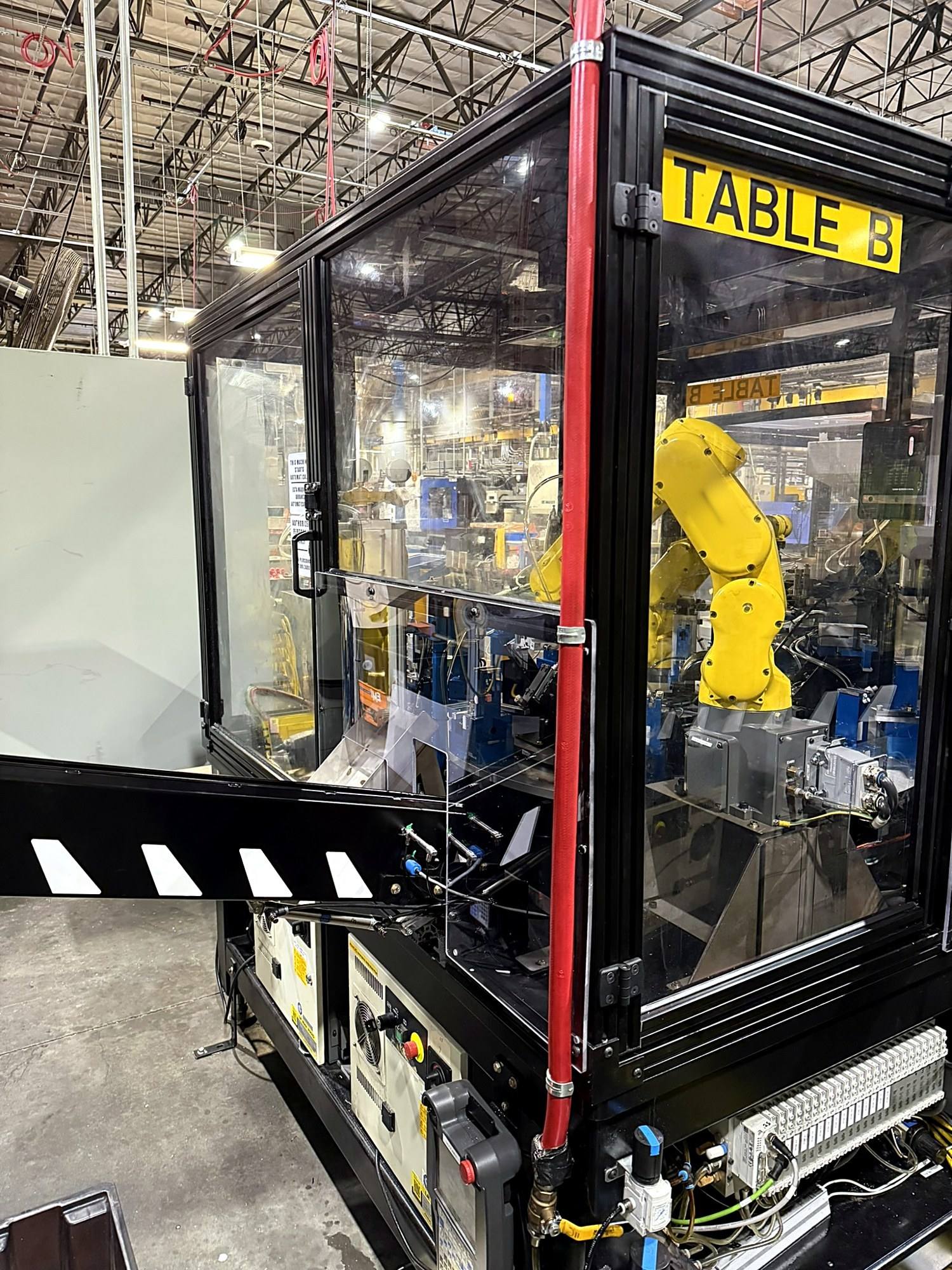
SRVO-004 fence open and the gate circuit
FANUC’s manual describes SRVO-004 as the safety fence circuit opening while the robot is in automatic mode. The usual cause is a gate that is open or not latched. If the gate is shut, check the interlock switch, its actuator and its cable, then the mode switch. How gates, interlocks and light curtains are designed into a cell is on our robot cell guarding page, and the risk assessment that decides them is in our robot risk assessment guide.
FANUC’s manual also carries a warning worth repeating: in a system that uses the safety fence signal or the external emergency stop signal, disabling it is very dangerous, and FANUC says never to attempt it.
Dual-channel circuits and chain alarms
The external e-stop, the fence circuit and the deadman each run on two channels. If the channels disagree, the controller posts a chain alarm: SRVO-230 Chain 1 abnormal or SRVO-231 Chain 2 abnormal, together with one that names the signal, such as SRVO-266 FENCE1 status abnormal, SRVO-270 EXEMG1 status abnormal for the external e-stop, or SRVO-274 NTED1 status abnormal for the deadman.
FANUC’s warning on these is plain: don’t reset the chain error until the failure is identified and repaired, because a robot running with one faulty channel may not stop when the other one fails. The usual causes are a switch with one contact stuck or worn, a broken conductor in one channel, or a dual-channel device whose two contacts don’t switch close enough together. After the repair, the chain error is reset on its own, from the alarm screen (F4, CHAIN RESET on the Mate manual’s screens) or from the Chain Error Reset item on the system settings screen. An ordinary reset before that only posts SRVO-237 Chain error cannot be reset.
SRVO-235 Short term Chain abnormal is the gentler version. FANUC gives its causes as a deadman switch released halfway or an e-stop switch operated halfway, and its first action is to make the same stop happen again properly, then reset.
When SRVO-213 posts too
If SRVO-213 E-STOP Board FUSE2 blown posts with SRVO-001, SRVO-004 or SRVO-007, FANUC says to treat it as SRVO-213. A fuse on the emergency stop board has blown or the board has lost its external 24 V supply, and a blown fuse there can mean the external 24 V e-stop wiring is shorted to 0 V somewhere in the cell. Finding that short is electrical troubleshooting for a qualified person with the cell drawings.
How to reset after the cause is cleared
-
Fix the cause
Find out who or what opened the circuit and deal with it: a person in the cell, a failed switch, a broken wire, a safety device that tripped.
-
Release and close
Rotate any pressed e-stop button clockwise to release it, as FANUC's manual describes, and close and latch the gates.
-
Check the stop signal screen
The e-stop, fence and overtravel lines should read FALSE. If one still reads TRUE, that circuit is still open.
-
Press RESET
Reset from the teach pendant or the operator panel. A chain error needs its own chain reset, and only after the repair.
-
Restart slowly
If the stop came mid-cycle, check the robot's position and the part, and run the next cycle in T1 at low speed before AUTO.
When to call
Call when the same stop alarm keeps coming back and you can’t find the device, when a chain alarm points at a circuit you can’t trace, or when the drawings don’t match what is in the panel. We work on FANUC robots other companies installed as well as the cells we build in Fontana, CA, and we write the safety logic that drives circuits like these. Call or text (818) 397-4809 with the robot and controller model, a photo of the Stop Signal screen and the alarm history. What a service job looks like is on our FANUC robot service page. The stop signal a PLC uses for process stops is covered in our SRVO-037 IMSTP guide, and the other common alarms are in our FANUC alarm codes guide.
Common questions
- What causes SRVO-007 External emergency stops on a FANUC robot?
- The external emergency stop circuit wired into the controller is open. FANUC's maintenance manual describes it as the external e-stop terminals on the emergency stop board not being connected through. In a cell, that circuit usually runs through e-stop buttons on the line, a safety relay or a safety PLC output, so one of those devices opened it, or the wiring between them is broken.
- Why won't my FANUC e-stop alarm reset?
- Because a stop circuit is still open. Release every e-stop button by rotating it clockwise, close the gates, and check the STATUS, Stop Signal screen to see which signal still reads TRUE. If a chain abnormal alarm is posted, the ordinary reset won't clear it until the failure is repaired and the chain error is reset. If SRVO-213 posted too, a fuse on the e-stop board may have blown.
- What is the difference between SRVO-004 Fence open and SRVO-007?
- They are two different hard-wired circuits. SRVO-004 is the safety fence circuit, which FANUC describes as stopping the robot when it opens in automatic mode, typically through gate interlock switches. SRVO-007 is the external emergency stop circuit, which stops the robot whenever it opens, in any mode. Both are dual-channel inputs on the controller's emergency stop board.
- Is it OK to jumper the external e-stop terminals to get running?
- No. FANUC's own manual warns that disabling the external emergency stop or fence signal in a system that uses it is very dangerous and should never be attempted. Those circuits exist to stop the robot when a person needs it stopped. Find the device or wire that opened, repair it under your plant's lockout/tagout procedure, and call us or FANUC if you can't find it.
- What does SRVO-230 Chain 1 abnormal mean after an e-stop?
- It means the two channels of a dual-channel safety input disagreed: one side opened while the other stayed closed. FANUC says not to reset the chain error until the failure is found and repaired, because a robot running with one faulty channel may not stop when the other one fails. After the repair, the chain error is reset separately from the ordinary alarm reset.
Sources
- FANUC R-30iB Mate/R-30iB Mate Plus controller maintenance manual, B-83525EN/07: stop signals screen and troubleshooting SRVO-001 to SRVO-007, SRVO-213, SRVO-230 to SRVO-275 (hosted by Haas Automation)
- FANUC R-30iB/R-30iB Plus controller operator's manual (Basic Function), B-83284EN/10: emergency stop and recovery, stop signal screen (hosted by RoboChallenge)
- FANUC America: Robot support and manuals (Alarm Code List B-83284EN-1 and controller maintenance manuals, via the Customer Resource Center)