
Light curtain vs area scanner for a robot cell
Which one a robot cell needs comes down to whether people reach in through an opening or walk into the cell. The choice also sets how far the device sits from the robot and how the cell restarts after a stop.
Start with a list of every task that brings a person to the cell. An operator handing parts through a load opening all shift points to a light curtain. Someone who walks in to swap a cart or pull a pallet calls for an area scanner, or a curtain with a floor device behind it. Make the call while the cell is being modeled, because the device decides where the fence line and the reset buttons go.
In short
Light curtain vs area scanner at a glance
| Safety light curtain | Safety laser scanner (area scanner) | |
|---|---|---|
| What it watches | A plane across an opening, usually vertical | A field drawn in software, usually flat across the floor |
| Smallest object it detects | Finger, hand or body size, depending on the model | 30 mm and up under IEC 61496-3, so hand size and larger |
| Product standard | IEC 61496-2 | IEC 61496-3 |
| Highest ESPE type | Type 4, good for PL e / SIL 3 | Type 3, good for PL d / SIL 2 |
| A person standing inside | Not seen once they are past the beams | Seen for as long as they are in the field |
| Best fit | Load stations, pass-throughs, table-size cells | Walk-in cells, open sides, floor areas around conveyors and columns |
| Usual trouble spots | Reaching over, under or around; blanked beams; forklift damage | Larger safety distance, dirty window, field setup |
The type-to-PL pairing comes from IEC 61496-1, as summarized by Germany’s IFA safety institute: Type 2 covers PL c, Type 3 covers PL d and Type 4 covers PL e. If a safety function needs PL e, a scanner can’t provide it.
Check the catalog wording, too. Some makers sell non-safety “area sensors”, multi-beam units for jobs like parts picking that look a lot like a safety light curtain. When weighing a safety light curtain vs an area sensor, look for an IEC 61496 type rating on the data sheet before trusting either to protect a person.
When is a light curtain the right choice at a load opening?
A light curtain is a trip device: it sees a hand or body cross the opening and sends the stop. That suits a load station where an operator hands parts in and out all shift without opening a door every cycle. Our page on robot cell guarding covers where doors, fixed panels and curtains go along a fence line.
Resolution is the first choice. A curtain with finger resolution can sit closer to the hazard than one with hand resolution, and a widely spaced multi-beam grid that only detects a body needs the most room and belongs at openings people walk through, not reach into. The risk assessment says which part of a person has to be detected at each opening.
Then check the edges. The curtain has to cover the whole opening, so nobody can reach over the top beam, duck under the bottom one or reach around the side. If a conveyor or fixture passes through the curtain, blanking those beams keeps them from tripping on it. Floating blanking, and any gap left beside a blanked object, coarsens the curtain’s effective resolution there. That means more distance from the robot or a fixed guard over the gap. The curtain’s manual lists the resolution for each blanking mode.
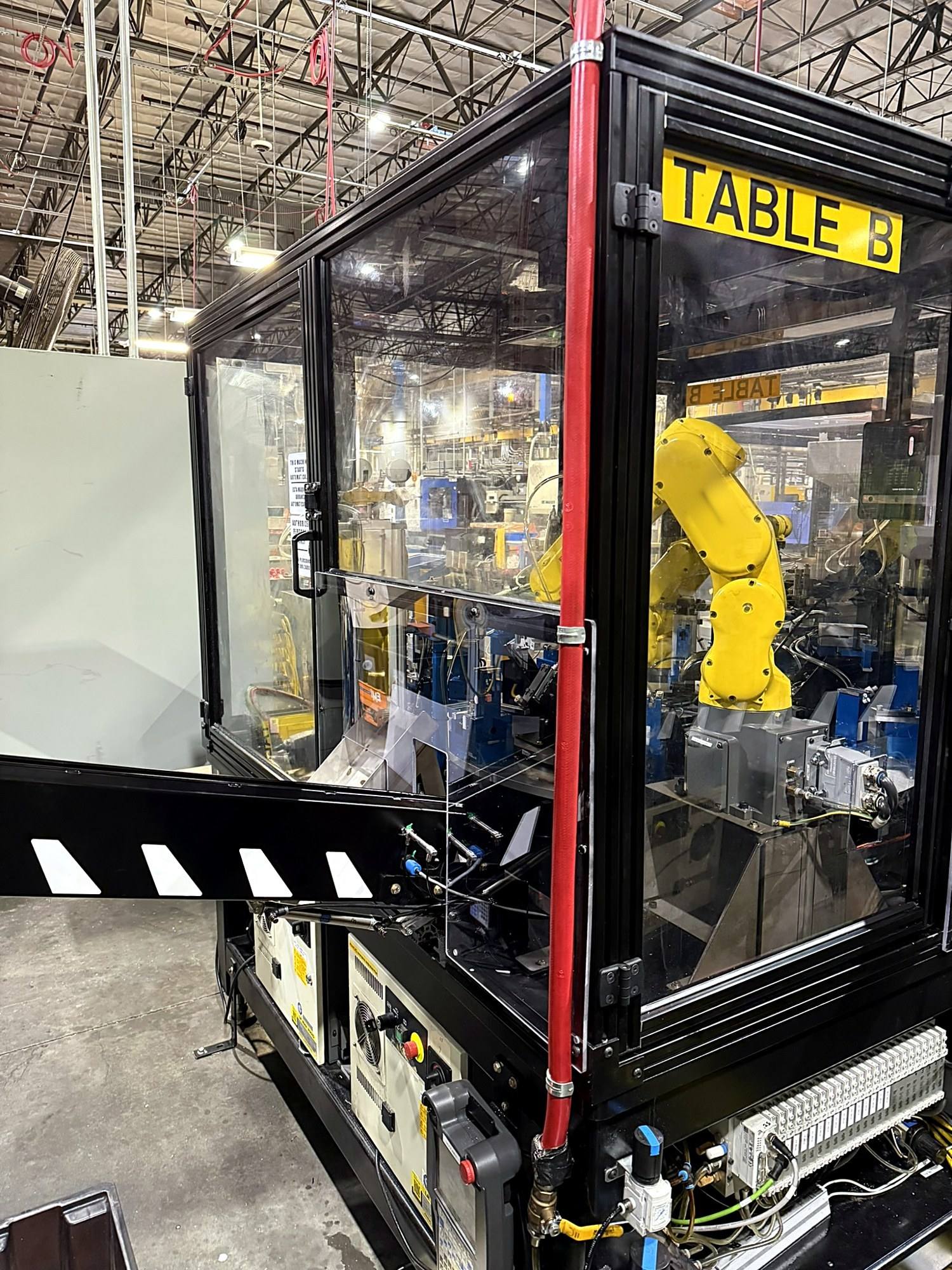
The three LR Mate assembly tables we built for a national lawn and garden brand are interlocked and light-curtained. Each is a table-size enclosure with no room to walk in, the case a curtain handles best: anything that crosses the plane is a hand or an arm. The spray nozzle assembly cells page has the rest of that job.
When does an area scanner make more sense?
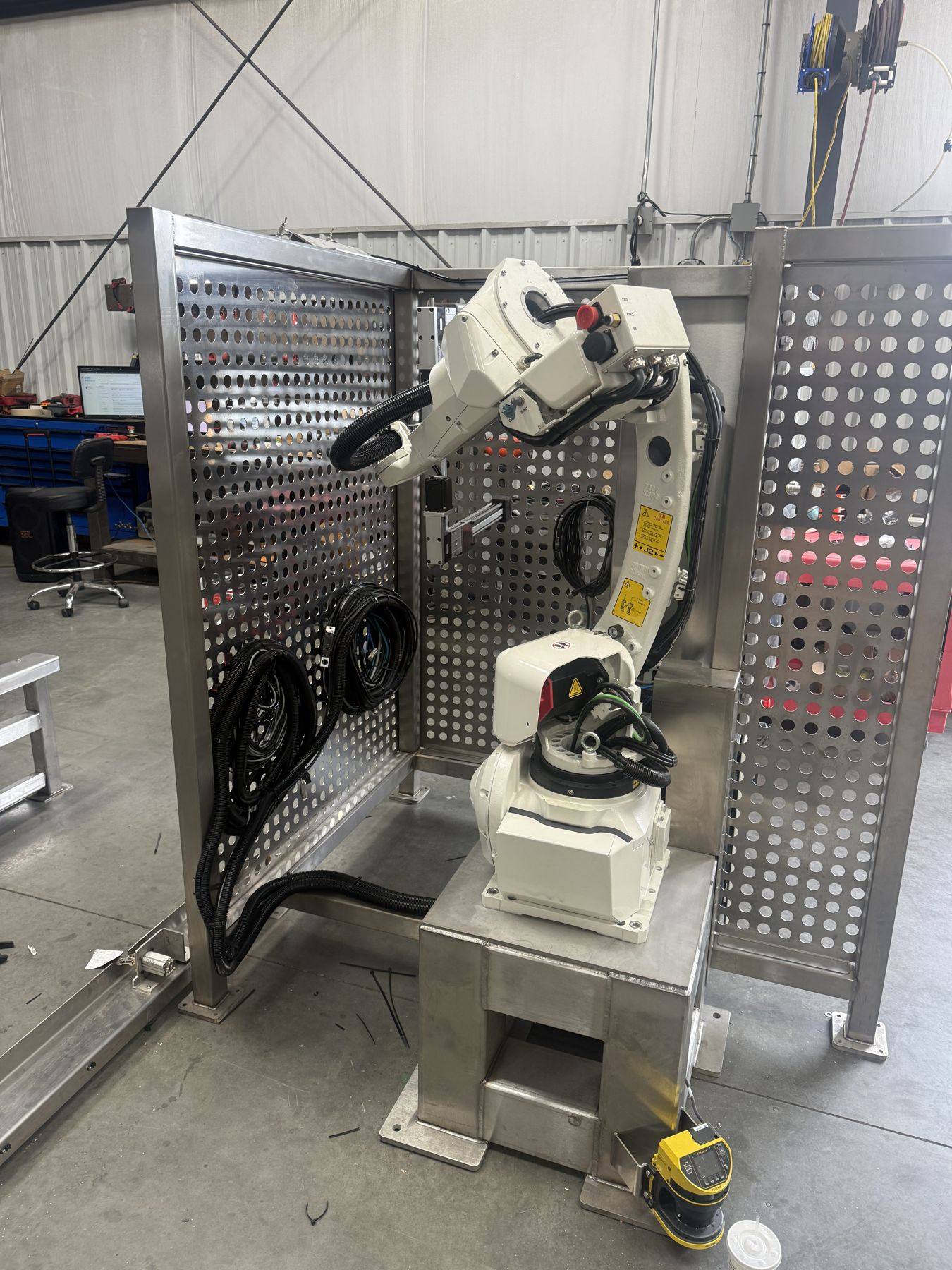
Once an opening is big enough to walk through, a curtain has a blind spot. It sees a person crossing the plane and then nothing, because the person is past it and standing inside. A safety laser scanner mounted near the floor keeps watching the area between the opening and the robot.
IEC 62046, the standard on applying these devices to machinery, separates the two jobs. A trip function stops the machine as someone enters. A presence-sensing function keeps it stopped while someone is there. A floor scanner can do both for the area its field covers.
Scanners also handle shapes a curtain can’t. The field is drawn in software, so it can follow a conveyor, wrap around a column or cover an open side of a cell. Scanners typically hold several stored fields and switch between them on inputs from the safety logic. Many also run a warning field outside the protective field that turns on a light or horn before anything stops. A warning field’s output isn’t safety-rated, so nothing that protects a person can depend on it.
A scanner can’t detect fingers or reach PL e. Some can be mounted upright to guard an opening, but the same limits apply there. At floor level it sits where carts and forklifts travel, and its window has to stay clean. A horizontal field also usually needs more distance from the robot than a curtain.
What happens at restart?
A curtain across a walk-through opening can’t tell whether the person who broke it is still inside. If the robot restarts as soon as the curtain clears, it can restart with someone in the cell.
IEC 62046 covers the fix under restart interlock: after a trip, the machine stays stopped until a separate reset. Put that reset outside the cell, where the person pressing it can see the whole guarded area. Where the view is blocked, add presence detection inside, such as a scanner or a safety mat.
On a table-size cell like the assembly tables above, nobody can walk in, so a curtain with a reset is the usual setup. A floor scanner holds the stop for as long as someone stands in its field. The risk assessment has the last word on both, including whether the robot needs a manual reset after the person walks out.
We write that restart logic in-house with the rest of the cell’s PLC and safety logic, on Allen-Bradley or Siemens: which motion stops and how, what the HMI tells the operator, and what brings the cell back.
What is light curtain muting, and when is it safe?
Muting briefly suspends a curtain’s safety function so material can pass through without stopping the robot. The usual example is a finished pallet leaving a robotic palletizing cell on a conveyor.
Muting is only safe if a person can’t use it. The muting sensors are placed so that only the load, by its size, position and direction of travel, sets them off. A timeout ends the mute if the pallet stalls, and a lamp shows the crew when the curtain is muted. IEC 62046 sets the muting requirements, and its 2026 edition updated them, so lay out the sensors from the current text.
Scanners have a counterpart in field switching. When a cart docks, or the robot moves to the far side of the cell, the safety logic switches the scanner to a field that leaves the cart or the idle side out. The inputs that choose the field are part of the safety function and get tested like one.
How does each one change the safety distance?
Any device that detects people has to sit far enough from the hazard that the robot stops before a person reaches it. ISO 13855:2024 and the ANSI formula shown on OSHA’s machine guarding eTool for presses have the same shape: approach speed times the total time to stop, plus an allowance that depends on the device. Our robot safety standards guide walks through the formula term by term.
The time term treats both devices the same. At the 63 inches per second hand speed that both the OSHA and ANSI press formulas use, every tenth of a second of stopping time adds 6.3 inches. Most of that time is the robot’s, and it depends on the arm, its speed, its payload and how far it is extended. Each device’s response time goes in too, along with the safety relay’s or safety PLC’s, so check them on the data sheets.
The device allowance is where curtains and scanners split:
- Light curtain. A finger- or hand-resolution curtain adds a small allowance, because a hand can’t get far through the plane before it is seen. Coarser resolution, including resolution lost to blanking, adds more.
- Horizontal scanner field. The allowance is large, because a person can step or lean across the edge of the field before a leg is detected. It shrinks as the scan plane is raised off the floor. Scanner makers also list a tolerance for measurement error to add on top.
In practice, a scanner’s protective field often reaches farther from the robot than a curtain would sit, which can change the cell’s footprint. We model every cell in SolidWorks, so curtain positions and scanner fields are laid out with the rest of the robot cell design before any steel is cut.
FANUC’s Dual Check Safety (DCS) helps with either device. Position check cuts motor power if the arm leaves a set space. The arm travels a little past the limit while it stops, so the zone the distance is measured to includes that stopping distance, but it can still be far smaller than the arm’s full reach. Speed check cuts power if the arm moves faster than a set limit.
Some cells use an outer scanner field to slow the robot and an inner one to stop it. For the inner field’s distance to be figured at the slower speed, the outer field has to be a second protective field on its own safety output. A warning field won’t do. The slow speed also has to be a monitored safety function such as a DCS speed check. A slowdown written into the normal robot program doesn’t count toward the safety distance.
What are the alternatives to a light curtain?
| Alternative | Where it fits |
|---|---|
| Interlocked door | Maintenance, changeovers and clearing jams, where a door opened now and then is no burden |
| Area scanner | Walk-in areas and open sides of a cell, as above |
| Safety mat | A defined floor area in front of a station; IEC 62046 covers applying mats built to ISO 13856-1 |
| Fixed tunnel | Openings only material passes through, long enough for their size that nobody can reach the hazard (ISO 13857 sets the reach distances) |
| Curtain plus scanner or mat | A walk-through opening: the curtain trips the stop, the floor device holds it |
What to settle before the guarding is drawn
Questions for the risk assessment
- Every task that brings a person to the cell, and whether they reach in or walk in
- Which part of the body has to be detected at each opening
- The performance level each safety function needs
- The robot's stopping time at the speed and payload it will actually run
- What passes through each opening besides people, and whether it needs muting or a tunnel
- Where each reset goes, and what the person pressing it can see from there
- The standard edition your plant or insurer specifies
At the run-off, test each curtain and scanner field with the maker’s test piece, and try every reset from where it is mounted. Our guide to robot cell FAT and SAT covers what else to check before a cell ships.
If you’re planning a cell, the most useful thing to bring us is a sketch of every place people need to get in.
Common questions
- Can FANUC DCS replace a light curtain or scanner?
- No. Dual Check Safety watches the robot, not the people around it. Position check cuts motor power when the arm leaves a set space, and speed check cuts it when the arm moves faster than a set limit. That can shrink the hazard zone and the safety distance, and it gives a monitored slow speed to pair with a scanner's outer protective field. Keeping people out or detecting them still takes guarding: fixed panels, interlocked doors, curtains, scanners or mats.
Sources
- ISO 13855:2024, Safety of machinery: Positioning of safeguards with respect to the approach of the human body
- IEC 62046:2026, Safety of machinery: Application of protective equipment to detect the presence of persons
- IEC 61496-3:2025, Electro-sensitive protective equipment, Part 3: Particular requirements for AOPDDR (safety laser scanners)
- IFA (German Social Accident Insurance): Relationship between the type of an ESPE and the SIL/PL
- OSHA eTool, Machine Guarding: Presses, safety distance
- ISO 13857:2019, Safety distances to prevent hazard zones being reached by upper and lower limbs
- FANUC America: Dual Check Safety (DCS) Position and Speed Check
- Rockwell Automation: SafeZone Mini Safety Laser Scanner User Manual (442L-UM005), protective and warning fields
- Rockwell Automation: GuardShield Safety Light Curtain User Manual (450L-UM001), resolution with blanking