
A robot cell cost breakdown, line by line
The robot is one line on the quote. This guide goes through every other line in a FANUC cell, what each one pays for, and what makes it go up or down.
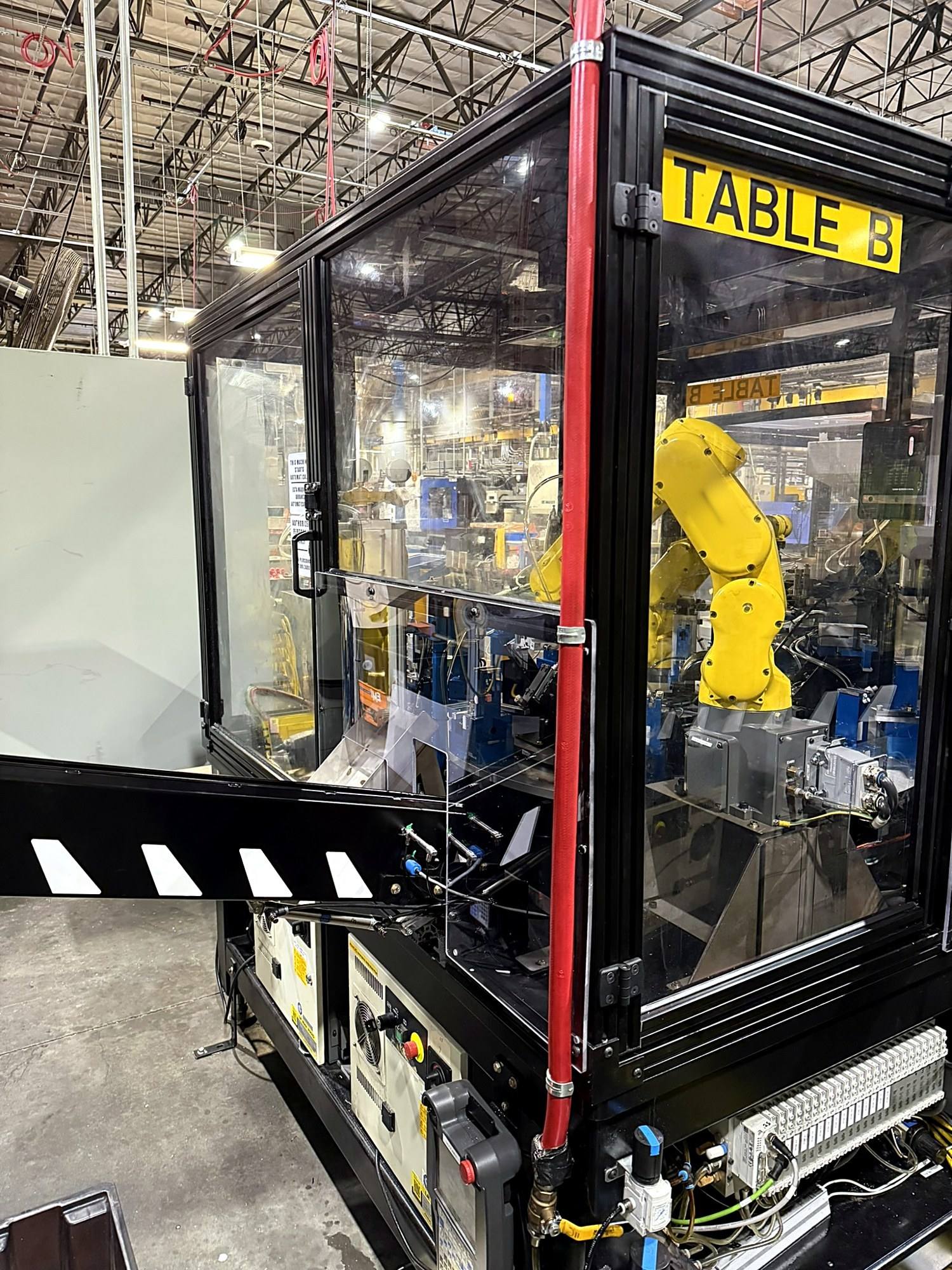
We don’t publish prices, because we quote each cell once we understand the process. Besides the robot and controller, a cell quote pays for the gripper, the frame and guarding, the safety devices, the conveyors or feeders that present the part, the control panel and PLC, any vision, the design and programming hours, and the run-off and install.
Why the FANUC robot is only part of the cell cost
Two integrators quoting the same FANUC model with the same options are quoting the same hardware. What they build around it is designed for your part and the rate you need, and that is where the rest of the money goes.
In its World Robotics 2018 summary, the International Federation of Robotics noted that its robot sales figures generally leave out software, peripherals and systems engineering. It estimated that counting them might make the robot systems market about three times the value of the robots alone. That is a worldwide estimate from 2017 data, not a rule for any one cell.
The gap between what the FANUC robot costs and what the cell costs is everything in Fig. 2 and the line items after it. On a turnkey robot cell, most of those lines sit on one quote from one supplier.
A twin-delta cell, taken apart
Fig. 2 takes a twin-delta pick cell apart. Items 1 to 7 are parts you can point at. Items 8, 9 and 11 are hours of work, and item 10 is mostly code, so the drawing only shows where it plugs in.
| No. | In the drawing | Line item |
|---|---|---|
| 1 | Two FANUC delta robots, and their controllers lifted off the top of the frame | Robot and controller |
| 2 | Vacuum grippers, dropped off the robot wrists | End-of-arm tooling |
| 3 | Frame, feet and clear guard panels | Frame, base and guarding |
| 4 | Door interlock on the frame, E-stop on the operator panel | Safety devices and safety logic |
| 5 | Belt conveyor running through the cell | Conveyors and part presentation |
| 6 | Control cabinet with PLC, relays and terminals, and the operator screen above it | Control panel, PLC and operator screen |
| 7 | Camera over the infeed, encoder on the conveyor roller | Vision and tracking |
| 10 | The link out to the plant network | Data and ERP connection |
Robot cell cost breakdown by line item
The lines below run hardware first, then hours.
1. Robot and controller
The arm, its controller and teach pendant, and the software options ordered with them. FANUC’s iRVision processing runs inside the robot controller, with no separate vision PC, and iRPickTool is FANUC’s software package for line tracking. On a vision cell those software options sit on this line too. The cameras and lighting are on line 7.
The line grows with payload and reach, with the number of robots, and with washdown or food-grade versions of the arm. Payload counts the gripper as well as the part, and the wrist also has limits on how far that combined weight sits from the faceplate, so a heavy or long gripper can push the job up a robot size. It shrinks when the job fits a smaller arm, or when one robot can cover the rate instead of two.
2. End-of-arm tooling
The gripper itself, whether vacuum cups, machined fingers or a servo gripper, plus any tool changer and the valves, sensors and hoses that go with it. We design end-of-arm tooling here and machine it on our own 5-axis.
Tooling gets expensive when the cell runs many part variants, when the part marks, flexes or tangles, or when a tool changer is needed. It stays simple when one gripper can handle a whole family of parts, or when the part has a flat, clean face a vacuum cup can seal on.
3. Frame, base and guarding
The structure the robot mounts to, the base or riser, and the panels that keep people out of the robot’s reach. We laser cut, bend and weld these in our Fontana shop.
Footprint and height drive this line, along with stainless construction for washdown areas, clear panels where people need to see in, and doors. A compact layout built from standard panel sizes keeps it down. Our robot cell guarding page covers the layout side in more detail.
4. Safety devices and safety logic
Door interlocks, light curtains or area scanners, E-stops, reset stations, and the safety relays or safety PLC that tie them together. We lay the devices out from a risk assessment of the tasks people do at the cell. In the US, ANSI/A3 R15.06-2025 covers robots and robot cells; its first two parts adopt the 2025 editions of ISO 10218-1 and ISO 10218-2, and the standard puts heavy weight on risk assessment.
On FANUC robots, the Dual Check Safety (DCS) option checks the arm’s position and speed on redundant safety processors and cuts motor power if the arm leaves a set zone or goes too fast. It is priced with the controller on line 1, but its zones are planned with the guarding.
Every opening people use adds cost: a load station, a jam-clearing door, a maintenance gate. Muting a light curtain so product can pass through without stopping the robot adds more. A cell people rarely need to enter needs less. Have your own safety professional review the risk assessment for your cell.
5. Conveyors and part presentation
How parts reach the robot and leave it: belt conveyors, bowl feeders, trays, fixtures and pallet stations. On the spray nozzle robotic assembly cells we built, bowl feeders present parts nonstop to LR Mate robots (Fig. 3).
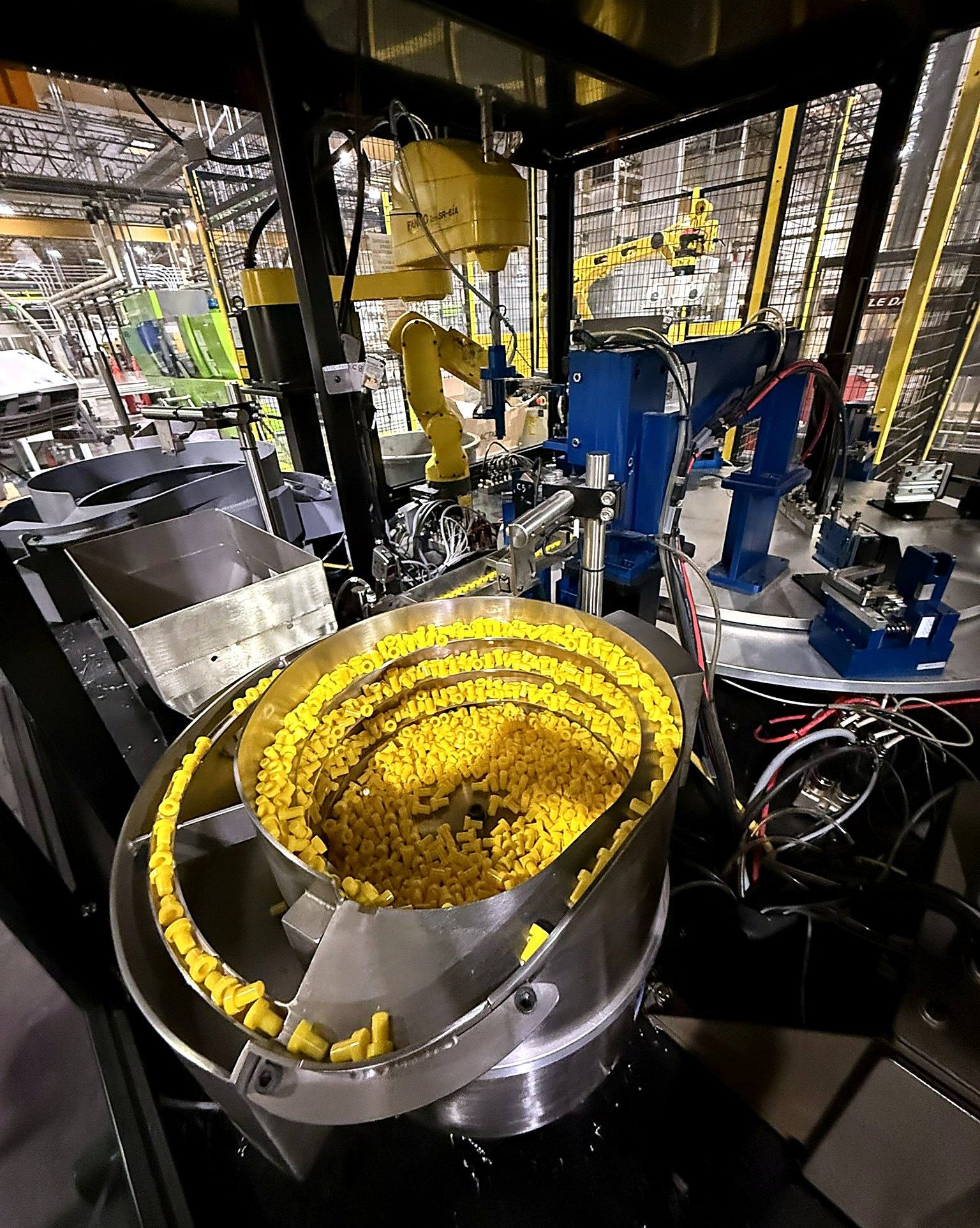
This line climbs when parts arrive loose and jumbled and something has to sort them, when trays or pallets have to be handled, and when conveyors have to be custom-built. It drops when parts arrive in the same place every time, in a nest or against a fixed stop, because the robot can then pick by position.
6. Control panel, PLC and operator screen
The cabinet with the PLC, I/O, safety relays, power supplies and network switch, plus the HMI hardware. We build, wire and test panels in our own shop, on Allen-Bradley or Siemens.
I/O count drives it, and so does every machine the cell has to exchange signals with. If your plant has a PLC standard, follow it even when another brand looks cheaper on paper. Your maintenance crew already knows the software and stocks the spares.
7. Vision and tracking
Cameras, lighting, lenses and mounts, the encoder that tells the robot where the belt is, and the calibration that ties them together. On the twin-delta tray loading line we built, each robot has its own camera and encoder.
3D vision costs more than 2D, more cameras cost more than one, and parts that are shiny, dark or the same color as the belt take more work to find. When parts stop in a fixed position, in a nest or against a stop, the robot doesn’t need to look and this line can come off the quote. Parts spaced evenly on a moving belt can skip the camera, but the robot still needs the encoder and a part-present sensor to track them.
8. Design and engineering
Modeling the full cell in SolidWorks, checking reach and clearances, and designing the frame, gripper and panel, along with the drawings and schematics the shop builds from. The robot cell design page goes through how we do it.
Engineering hours grow with every open question and every loop back through the design review. They shrink when the spec is settled early: the rate, the part variants, the floor space and the utilities.
9. Programming: robot, PLC and HMI
Robot paths and picks, the PLC sequence and safety logic, and the operator screens. We write all three in-house.
Part variants and recipes, stack patterns, changeovers and handshakes with upstream and downstream machines all add hours. So does fault recovery, meaning what the cell does after a missed pick, a jam or an empty feeder. Quotes often leave it out. Hand every integrator the same list of faults your crew sees today, and each of them prices the same recovery work.
10. Data and ERP connection
Logging every cycle and fault with a time stamp, and posting counts, jobs and scrap to your ERP so nobody re-keys them. We write custom Python to tie machines to the ERP.
It costs more when the ERP has no clean way in, or when the cell has to report to more than one system. If counts on the operator screen are enough for now, it can wait, provided the panel has a network connection planned in.
11. Run-off, install and commissioning
The run-off in our shop before the cell ships, then crating, shipping, rigging, installation, the site acceptance test on your floor, and training for your crew. Our cells are run off in our shop and commissioned on yours. The FAT and SAT guide covers what each test should check.
Travel, installs squeezed into a shutdown or a weekend, and a site that isn’t ready all add to it: no power at the spot, no air, a floor not ready for anchors. It stays down when your side of the list is done before we arrive.
Which line items move the price the most?
It depends on the cell. On a palletizer with a large arm and a fairly simple job, the robot is a big share. At an assembly table built around a small arm like an LR Mate, the feeders, fixtures, gripper and programming around it can outweigh the arm. The robotic palletizing page covers the drivers specific to palletizers, and how a palletizer quote is built has its own guide. For weld cells, fixtures, positioners and fume control move the price, as our guide to robotic welding cell cost explains.
A few robot cell cost drivers cut across several lines at once:
- Part variants. Each one touches the gripper, the programming, the vision setup and the run-off.
- Rate. A rate one robot can’t reach adds a second robot, and a second gripper, usually a second controller, and another set of programs with it.
- How parts arrive. Loose, jumbled parts bring feeders or vision onto the quote.
- Environment. Washdown, food contact, heat or dust change the robot version, the frame material and the enclosures.
Why two quotes for the same cell come out far apart
Usually because they don’t describe the same cell. Hardware can be compared part number to part number. The hours can’t, and neither can what was left out. The common gaps:
- One quote includes conveyors, guarding or install, and the other lists them as by others.
- One robot is sized with room for the gripper and a future part; the other is sized for today’s part.
- One quote programs changeovers and fault recovery; the other covers the normal cycle.
- Run-off with your parts, training and documentation appear in one quote and not the other.
- Site work, such as power drops, air, anchoring and rigging, can land on either side of the line.
Ask every quote to spell out
- Robot model, controller and the software options included
- How many grippers, and what happens when you add a part variant
- The guarding layout and each safety device, and the risk assessment behind them
- Conveyors, feeders and fixtures, or who supplies them if the integrator doesn't
- The PLC and HMI platform, and whether you receive the source code unlocked
- What the run-off (FAT) and site test (SAT) will check, and what counts as a pass
- Install scope: rigging, utilities, anchoring, travel and training
- Exclusions, in writing
How to keep the cost of a robot cell down
The cheapest changes to an automation project are the ones made before anything is built:
- Send a video of the process. A phone video of the job being done by hand answers questions that would otherwise become assumptions, and assumptions get priced with margin.
- Write the spec down: rate, part variants, changeovers, floor space, utilities and your plant’s PLC standard.
- Present parts in a known position where you can. A nest or a fixed stop can take vision off the quote.
- Group parts into families that one gripper can handle.
- Use standard parts: catalog conveyors, standard guard panel sizes, and your plant’s PLC and HMI platform.
- Settle the design at the review. Moving a conveyor in the SolidWorks model is an edit. Moving it after the frame is welded means cutting new steel.
Checking payback before you ask for a quote
Whether a robot cell price pays back depends on the labor the cell frees up, how many shifts it runs and how many parts you make. The robot ROI calculator works out payback from your own figures, so you can see what a cell has to cost to make sense before you ask anyone for a number. Tax deductions, training money and loans can lower the net cost, and our guide to manufacturing automation grants lists the programs.
Its worked example is one operator on each of two 8-hour shifts, 250 days a year at 90% uptime, which is 3,600 labor hours. At $48.62 an hour, the Bureau of Labor Statistics figure for total compensation in manufacturing in June 2026, that comes to $175,032 a year. Your own wage and benefit numbers will differ, so use those.
The calculators and tools page also lists what an integrator needs from you to quote a cell, and how we work goes through a project from the first call to handover.
Common questions
- Why don't you publish prices for robot cells?
- Two cells rarely share much beyond the robot, so a price range wide enough to cover them would say little about yours. This guide shows what a quote will be made of instead, so you can read one line by line and compare it with another.
Sources
- IFR: Executive Summary, World Robotics 2018 Industrial Robots (robot sales value excludes software, peripherals and systems engineering)
- U.S. Bureau of Labor Statistics: Employer Costs for Employee Compensation, June 2026, Table 4 (manufacturing, total compensation per hour)
- The Robot Report: A3 releases full three-part national safety standard for industrial robots (ANSI/A3 R15.06-2025)
- ANSI Webstore: ANSI/A3 R15.06-2025, Industrial robots and robot systems, safety requirements
- FANUC America: iRVision
- FANUC America: iRPickTool
- FANUC America: Dual Check Safety (DCS)